logo

WordPress Design Agency

020 3355 8747

Message Us
  • Home
  • About Impact®
    Learn More About Impact Media®
    • Meet The Team
       
    • Why WordPress
       
    • Careers
       
    • Giving Back
       
    • 100K Tree Challenge
       
    James Coates
    Schedule a discovery call with UX Specialist James
    Book A Call
  • WordPress Services
    Learn More About Our Services
    • WordPress Web Design
       
    • UX Design
       
    • WordPress Development
       
    • WordPress Support & Maintenance
       
    • WordPress Evolve Retainer
       
    • WordPress Multisite Development
       
    • WooCommerce
       
    • Replatform To WordPress
       
    • WordPress Consultancy
       
    • Integrations & Plugins
       
    • WordPress Managed Hosting
       
    • WordPress Health Check
       
    James Coates
    Schedule a discovery call with UX Specialist James
    Book A Call
  • Our Process
  • Case Studies
  • Insights
  • Contact Us
WordPress Design Agency
020 3355 8747
logo logo
Book A Call
Back
Menu
  • Home
     
  •  
    About Impact Media
    Learn More About The Impacters
    • Meet The Team
       
    • Why WordPress
       
    • Careers
       
    • Giving Back
       
    • 100K Tree Challenge
       
  •  
    Our Services
    Discover How We Can Help
    • WordPress Web Design
       
    • UX Design
       
    • WordPress Development
       
    • WordPress Support & Maintenance
       
    • WordPress Evolve Retainer
       
    • WordPress Multisite Development
       
    • WooCommerce
       
    • Replatform To WordPress
       
    • WordPress Consultancy
       
    • Integrations & Plugins
       
    • WordPress Managed Hosting
       
    • WordPress Health Check
       
  • Our Process
     
  • Case Studies
     
  • Insights
     
  • Contact Us
     
020 3355 8747
Mon - Fri • 9am - 5pm
Close

Oops! We could not locate your form.

Home / Insights / The Website Redesign Checklist Every Marketing Manager Needs
Back

The Website Redesign Checklist Every Marketing Manager Needs

Published 14.03.22
14th March 2022
Last Updated 13.08.26
13th August 2026
Newer
19 Min Read
Vikki Baker
Vikki Baker
Web Design
Older
19 Min Read
 
Vikki Baker
Vikki Baker
 
Web Design

It’s very easy to get wrapped up or sidetracked when managing the process of a website redesign. A new website is a big deal. Trying to remember everything and map out what needs to be done can be overwhelming.

Marketing manager planning a website redesign checklist

I’ve talked before about web design mistakes to avoid, so now let’s look at important things to include when planning a website redesign.

Whether it’s your 1st website redesign or your 50th, it’s important to be strategic and approach it with a thorough plan.

Your web development agency will have its process and timeline, but it’s important that you have your own which runs alongside theirs. This will need to cover everything that is the responsibility of you, your team, and your other suppliers. 

There will be workshops and meetings with your website agency to attend, feedback stages to get to promptly so as not to hold up the project timeline, planning for launch day and promotion of your new website. But what else? 

Having worked on many website redesigns throughout my career (some as the client, some as a supplier), here are some key things that I‘ve noticed often get overlooked or left to the last minute.

Factor these into your plan, and your website redesign will run more smoothly.

SEO Considerations For A Website Redesign

SEO should never be an afterthought. Even more so, if organic traffic is an important source of leads or sales for your business.

A website redesign always poses a risk to organic search performance. As such, it should be managed carefully.

Lots of businesses will view a redesign as a chance to cull lots of content, or consolidate. To mitigate the risks, this must be done with a solid strategy in place. Careful redirect mapping is also required.

Avoid making decisions based on hunches or for aesthetic reasons at all cost. If you insist that your development agency cull half of your content, then it isn’t their fault if you find your organic traffic plummets. Every decision you make should be backed up with research and data.

If you have an in-house SEO specialist, or an SEO agency, get them involved in the process from day one. If you don’t, consider perhaps hiring an SEO agency to help with the migration process. We have trusted SEO partners we can recommend to customers without their own.

Whilst going through the agency selection process, look for a web design agency that understands the importance of SEO, and is happy to include your SEO specialist or agency in the process. 

What SEO Considerations and Tasks Should be in Your Plan?

Audit Your Existing Website

First steps should be full SEO and Content audits of your existing website. These audits will tell you what you need to protect, what you can improve, and what you can remove.

  • What pages are ranking for what terms?
  • Which pages are generating traffic and conversions?
  • Do some pages have a very high bounce rate?
  • How many pages take more than 3 clicks to reach from the homepage?
  • Do your existing pages follow proper heading structure?
  • Do you have duplicate content, and competing pages cannibalising each other?
  • Are your H1s, title tags, and meta descriptions in good order?
  • Do you have any existing 404s, unnecessary internal redirects, or redirect chains?
  • Is some of your content out of date?
  • Are some of your services or products not represented?

Keeping or Changing Your Domain?

Is your domain name staying the same? If it is changing this will have further implications come with more risk. Ensure this decision has been fully assessed, and that your SEO specialist or agency is aware, and experienced in managing migrations.

Sitemap and URL Structure

When creating your new sitemap and structure with your website agency, try to keep things the same where possible. Avoiding unnecessary changes and redirects is for the best.

For example if your blog posts are www.yourdomain.com/blog/blog–post-name/ is there any good reason to change this? The posts are properly nested, to give a clear indicator of site hierarchy, and they have meaningful names in the slug.

However, if your blog posts are www.yourdomain.com/blog-post-name/ or www.yourdomain.com/blog/21kjd002sdf/ then it may be wise to create some hierarchy on your site, or give your blog posts meaningful slugs. This will require redirects, but in this case it would be for a good reason. 

Fixing Redirect Issues on Your Existing Site

Are there issues on your existing site that you can fix before moving to the new site? It is good practice and means you’re not creating future problems for yourself, which will be harder to correct.

Deal with any outstanding 404s or internal 301s (where internal links haven’t been updated and are relying on redirects). Correcting these will save on having to create additional redirects, and reduce the chances of redirect chains on your new website.

Core Web Vitals

Is your site currently slow or failing Core Web Vitals? What factors are contributing to this, and how can they be remedied in the redesign? 

What can your SEO specialist or agency recommend, and how can they work with your website development agency to ensure a new website which satisfies Google with good page experience.

Page Titles, Meta Descriptions & Markup

  • Who is going to be responsible for adding these on the new site?
  • How will they be implemented?
  • Will you be using something like Yoast?
  • If your title tags and meta descriptions need some work, who will be writing them?
  • Do they have a clear deadline, so everything will be ready before launch?

If you’re changing domains, it is best to keep your existing titles and meta, at least for a time.

  • What markup will be needed, who will write it?
  • Who will implement it, and how will they be doing so? 
  • Will you be adding it directly or using Tag Manager?

Redirects 

  • Who is responsible for redirect mapping, and how will the redirects be implemented?
  • What format will the development agency need those redirects in? A CSV with source url and destination url or an .htaccess file? 

Internal Linking

  • Who is going to be doing this and at what stage?
  • Will it be done by the same person responsible for content loading the new site, or will it be done after content loading, but prior to launch?

Search Console

Don’t forget that your new sitemap will need to be submitted to Search Console.

  • Are there other tasks that need to be done at the same time?
  • Will you be doing this or your SEO agency?

Robots.txt

  • Is there anything important that needs adding to your robots.txt?
  • Ask your agency to add your sitemap to the robots.txt file, but is there anything else required?

Structured Data

Are you using structured data (schema) so search engines can understand your content?

Your SEO specialist or agency will likely have some suggestions, depending on your site, its features, and how it’s built. For example, it is important for eCommerce sites to disallow the crawling of pages like user accounts, checkouts, and so on.

For additional information on SEO tasks that you can manage in-house, check out our post Simple SEO Tasks For WordPress Websites.

AI Search & Discoverability

SEO now also needs to account or how AI Overviews and AI chat tools surface content, not just traditional rankings.

  • Is your content structured clearly enough (headings, lists, direct answers) to be easily summarised by AI tools?
  • Does your new site allow or restrict AI crawlers appropriately? Decide deliberately rather than by default.
  • Has your SEO specialist reviewed how key pages currently perform in AI Overviews, not just organic rankings?

Content Considerations When Redesigning A Website

Another huge topic to consider, and one that regularly slows down website projects is content.

New Content

  • Is your content staying the same or will it need rewriting?
  • If you‘re consolidating pages or adding new pages, who is writing that content?
  • Are you using an internal resource for content or external?
  • Do they have a clear brief and deadlines? 
  • Are there SEO considerations for the content and do they need to chat with your SEO specialist? 

If you’re adding new sections to existing pages which will require content, don’t forget to assign tasks for creating this content. A short paragraph to sit in a hero section may seem like nothing, but when you realise you need 50 of them, and you’re a couple of days away from launch you’ll kick yourself.

Content Population

  • Who will be doing content population on the new site?
  • Who will be updating and adding tile tags, meta descriptions and so on?
  • Have you allowed time and resource for this in your project timeline?
  • Is the time you’ve set aside realistic for content loading an entire website?

Content Structure, Optimisation and Readability

  • Is your content structured, proofed, and is it optimised for organic search?
  • Does it make use of proper heading structure, and is it well laid out to make it easy to read?
  • Is your content full of industry lingo or excessively corporate?

Remember that what might be common language internally, might be meaningless or confusing for your audience.

Always keep in mind that you’re writing for your users, not your colleagues. Make sure you’re writing clear, easy-to-digest content, which meets their needs and answers their questions.

Accessibility Considerations For A Website Redesign

A redesign in a natural point to improve accessibility, and increasingly a compliance consideration, not just a nice to have.

  • Does your new design meet WCAG 2.2 AA as a baseline?
  • Have colour contrast ratios been checked for text and interactive elements?
  • Have you given all images meaningful alt text, and decorative images marked as such?
  • Can the site be fully navigated by keyboard alone?
  • Are forms and other elements properly labelled for screen readers?
  • Have you transcribed and captioned your video or audio content?

Ask your web design agency how accessibility is factored into their build process, and what tasks are to be carried out by the agency, and which tasks should be carried out by your organisation.

PPC & Display Task To Remember For A Website Redesign

This can be easily forgotten in all the excitement of a launch.

Landing Pages

You will need to make sure that any dedicated campaign landing pages are considered in the redesign process.

  • Will the web design agency be creating them, or will you need to create them from a page template prior to launch?

Destinations

Whether you manage your paid activity in-house or an agency does, make sure that if any landing pages are changing, being removed, or being given a new url path, you update your campaigns.

Pull a list of all destination urls and make sure they’ll still exist. If not, provide the new destination or instructions if the ad needs removing.

Imagery

  • Is your ad imagery consistent with your new website design?
  • Does it align with any changes to your branding or look and feel.
  • Is it consistent with your new website, or does it need redesigning?

Considering Analytics, Goal Tracking & Other Tools During A Redesign

Getting this right is vital if you’re to know how your new site is performing. Making sure that tracking code is properly implemented is important. If done incorrectly it can lead to all kinds of issues with your data.

Adding Analytics & Other Important Tools

Make sure it has been decided what needs to be added, who will be adding it, and how.

For example, we generally add Google Tag Manager, Google Analytics, Yoast, and Redirection as standard for our customers. If you use different tools, make sure your agency knows, and come to an agreement on the best way to add those tools.

Conversion Confirmations

  • What goals will you be tracking, how will you be tracking them? Make sure this gets proper consideration in the web design process.
  • Will you need thank you pages?
  • Will document downloads open in a new page, or will they be emailed to your users?
  • Do you have email templates prepared for transactional emails, such as order confirmations?

Make sure that you make all parties aware of how conversions are to be managed and tracked, so that this can be factored in. Then tasks can be delegated to the right person, with a clear timeframe.

Also ensure that any website form completion notifications go to the appropriate email addresses, so that important leads aren’t missed.

Goal Tracking Set-Up or Updating

Don’t forget to make sure goal tracking is updated, or set-up for any new goals.

  • Will you be doing this, or will your SEO specialist or agency?

Make sure this is clear, so everything is working and tracking correctly when you launch.

Other Tools

  • What tools and plugins will need integrating with your new site?

Make sure your web agency knows exactly what connections and plugins you require from the outset.

Adding things that you’ve remembered last minute will only slow things down. They may also come with an extra cost if they’re out of scope.

Some examples:

  • Your CRM
  • Transactional email management
  • Marketing automation and/or email platform
  • Live chat
  • Cookie management
  • Sales & marketing tools
  • Shipping management
  • Integrations with 3rd party systems

Considering Performance When Redesigning A Website

Images

A redesign is the perfect time to get your images in good order. Name your images properly, give them appropriate alt text, upload them at the correct dimensions.

Ensure that your developers include an image compression tool on your new website.

Plugins

  • Are there a lot of plugins on your existing site that aren’t 100% necessary? Can any of them be done away with through good development?

The fewer you rely on the better. When you do use them, use trustworthy and well maintained plugins.

Your development agency should be able to guide you on this, and help you to keep your list of plugins streamlined, and reliable.

Tools

  • Are you running a lot of third party tools and platforms?
  • Could you slim this down to reduce the number of tags that fire when someone lands on your website?
  • What is 100% necessary, what can you delay or limit to certain pages or actions (for example remarketing tags might not need to fire immediately), and what can you remove altogether?

Privacy Considerations For A Website Redesign Project

Policy Pages

  • Do you have all of the relevant policies on site, are they legally sound, and who is writing them if they are lacking?

Don’t forget that a new site might mean new cookies you need to reference in your policy. This should be updated before your website is launched.

If you are operating within an industry with its own specific rules and regulations for digital, ensure your web development agency is aware, and that you provide them with all of the relevant information to enable them to ensure your website is compliant.

Cookie Management Tool

  • Are you using a compliant cookie management tool?
  • Have you discussed how it is to be set-up?
  • Do you need a certain level of licence to ensure it offers the level of customisability you need from it?
  • Have you made what you need it to do clear to your agency?

The more complex your website is ,the more likely it is that extra work will be required to set-up a cookie management tool. This isn’t something to drop into the mix at the last minute.

Reviewing Hosting & Support When Redesigning Your Website

Don’t neglect these important factors until the last minute. Hosting can make or break a site, and ongoing support is often forgotten until issues arise down the road.

Who is Hosting?

  • Are you keeping the same hosting provider you had before?
  • Are you self-hosting?
  • Is your web development agency taking on the hosting for your new website?
  • If you web development company isn’t going to be hosting the website, have you got clear lines of communication with your web host? So that things aren’t delayed when it comes to getting your site live?

Launch

  • Will your site be going down for maintenance briefly when launch day arrives, or will you launch outside of regular business hours to avoid any disruption?
  • Have you factored in any extra cost associated with this?

It is important to discuss launch with your developers and hosting provider (if they’re not one and the same) to have a clearly defined plan for launch.

Hosting Quality

Hosting will play a major role in website performance.

  • Is your hosting of an appropriate level for your website and the traffic it receives?
  • Does it include SSL, caching, a CDN, a firewall etc?
  • Is it easy to get in contact with your web host, and how much control do you have?
  • Are you on a shared server, or private?

There are lots of considerations here, and it is wise to talk to your web development company about this very early on in the process. This will allow you to make the best decision for your website.

Ongoing Support

  • Does your web development agency have ongoing support and maintenance plans, or will you need to go elsewhere for this?

Having a support and maintenance provider in place will give you peace of mind. Your website will be kept up-to-date, secure, and functional. They will monitor for, and deal with vulnerabilities. Not all development agencies support the websites they build, so make sure you know.

Wrapping Up

I hope this has helped and given you some useful reminders before you embark on your website redesign. It’s hard to cover absolutely everything, so keep an eye out for future posts and guides, where I’ll discuss some of these areas in greater detail.

Here’s a little summary list of what we’ve covered, so you can copy and paste into your notes when getting your plan together:

  • SEO
  • Content
  • PPC & Display
  • Analytics, Tracking & Tools
  • Performance
  • Privacy
  • Hosting
  • Support

If you’re planning a website redesign, why not chat with our team about it?

We’ve been designing and developing websites for more than 23 years, which has allowed us to refine and hone our process. If you’d like to see a handful of our projects, you can check out our case studies here.

FAQs

How long should a website redesign take?

This depends on scope, but most business website redesigns takes between 3 and 6 months from discovery to launch. Content heavy or especially complex sites can take longer.

Will a website redesign hurt my SEO?

It can if not managed carefully, which is one of the core reasons I wrote this post. Competent SEO involvement from day 1 drastically minimises this risk.

Who should be involved in a website redesign from the start?

Ideally your web design agency, your SEO specialist or agency, whoever manages your content, and anyone responsible for analytics, PPC, and integrations. Bringing in people late is one of the most common causes of delays. For more ideas of who should be included internally, see our post on key stakeholders.

Do I need to keep my old content when redesigning?

Not necessarily, but any decision to remove or consolidate content should be based on performance data, not on hunches or guesswork. Removing ranking pages without a plan is a common cause of traffic loss.

What’s the biggest mistake marketing managers make during redesigns?

Underestimating the time needed for content population, and treating SEO, analytics, and tracking as an afterthought rather than part of the core plan.

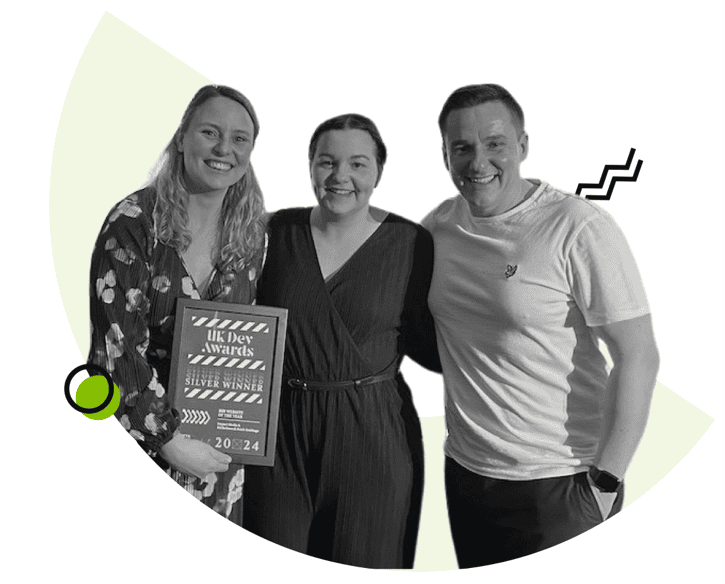
Impact team at UK Dev Awards

Is It Time For A Website Redesign?

If you’d like to learn more about our website redesign approach and if it could be a good fit for your business, drop us an email or give us a call.

Share Socially
Vikki Baker
Vikki Baker
Digital Marketing Manager, Cat Lady & Former Female Indiana Jones
Vikki has over 15 years of experience in Digital Marketing for WordPress specialist agencies. She loves WordPress for its simplicity of use, huge flexibility, and how great it is for SEO.
View Team Profile
See More Articles
Vikki Baker
Vikki Baker
Digital Marketing Manager, Cat Lady & Former Female Indiana Jones
Vikki has over 15 years of experience in Digital Marketing for WordPress specialist agencies. She loves WordPress for its simplicity of use, huge flexibility, and how great it is for SEO.
See More Articles
View Team Profile
Want more control over
how you manage content in WordPress?
Edit content that was previously restricted and get creative with building pages in WordPress.
Let's Chat
studio@impactmedia.co.uk
020 3355 8747
Impact Media's LinkedIn
Impact Media's Twitter
Impact Media's Facebook
Impact Media's Instagram
Impact Media's Youtube
wordpress.org

About Impact

  • About Impact Media®
  • Meet The Impact Team
  • Why WordPress?
  • Our Web Development Process
  • Careers
  • Awards
  • Partners
  • Giving Back
  • 100K Tree Challenge

WordPress Services

  • WordPress Web Design
  • UX Design
  • WordPress Development
  • WordPress Evolve Retainers
  • WooCommerce Development
  • Multisite WordPress
  • Migrate To WordPress
  • Custom Integrations & Plugins
  • WordPress Consultancy

WordPress Support

  • WordPress Support & Maintenance
  • WordPress Managed Hosting
  • Case Studies
  • Insights
  • Contact Us

Addresses

London Address:

50 Liverpool Street,

London, EC2M 7PY, UK

+44 (0) 20 3355 8747


Registered Address:

Woodland Place, Hurricane Way

Wickford, SS11 8YB, UK

  • Privacy Policy
  • Cookie Policy
Impact Media logo
© Impact Media® 2003 - 2026
Impact Media is a trading name of IMDMS LTD. Company Reg. 05970261
Impact® & Impact Media®
are registered trademarks of IMDMS LTD