Translate Your WordPress Website In Minutes Without Manual Translation
A look at Weglot, the auto-translation plugin for creating multilingual WordPress websites.

Oops! We could not locate your form.
A look at Weglot, the auto-translation plugin for creating multilingual WordPress websites.
Imagine you’re marketing for a business that sells across the world or has offices in non-English speaking countries, but you have limited time or resources to manage translation partners and content loading on your websites, what do you do?
The industry standard multilingual plugin for WordPress is WPML. But if you’re managing your site solo and don’t have native speakers to create translations, this might not appeal to you. Purely for the amount of work involved in getting it set up and delivering the website in multiple languages.
Yet, perhaps management is pushing for the website to be in Spanish, French, German and Chinese, what’s the answer?
You’d now weigh up booking a long-awaited holiday, so you can bury your head in the sand and deal with it when you get back…
Or look for a solution that will save you time and be easier and faster to implement. Even if it’s just in the short-term.
Don’t order your swimwear just yet.

Weglot is the solution to your worries. At Impact, we provide a few options when it comes to creating a multilingual website. Of the plugin-based solutions, WPML is the one we use most frequently and prefer. Weglot is the other option that we sometimes use where it better suits the immediate needs of the client.
It’s worth noting the field has widened since this was first written: TranslatePress, Polylang, and GTranslate are all now viable alternatives too, so this isn’t strictly a two-horse race any more. WPML and Weglot remain the two most common starting points, though, so that’s still the comparison worth walking through.
Weglot is an automated translation service. Its automatic layer now runs on DeepL, Google Translate, and Microsoft Translator, with an additional custom AI Language Model built on OpenAI and Gemini that learns your edits and brand voice over time, a step up from the fixed neural-translation-only approach it launched with.
WPML on the other hand, creates additional content areas on your website for alternate languages. The traditional route has always been a manual translation, provided and input by a person, which then appears when the user selects their chosen language upon arriving on the website. That’s still WPML’s core strength and the reason agencies reach for it on larger sites. But it’s worth updating this point directly: WPML has since added its own automatic translation engine (built specifically for the plugin) alongside a review-queue workflow, so the ‘WPML means fully manual’ framing isn’t quite as clean a line as it used to be. You can still run it the traditional way, but automation is now an option there too, not just on the Weglot side.
WPML remains the more thorough solution overall, particularly for larger or more complex sites, and it requires more development time, organisation, and (if you want native-speaker quality) translators to convert your copy into the desired languages. Then you need to add each of these translations to the website.
Oh, and when new content is created or added, like blog posts and so on, you need to go through this process, unless you’re using WPML’s own automated layer for that content instead.
This is not an issue for large global teams, but for smaller businesses it can be out of reach without leaning on automation somewhere in the process.
Weglot, on the other hand, will translate content automatically for you, even when new content is added or if you introduce a new language, without you needing to set up a review workflow yourself first.
There are of course pros and cons to using a tool like this. The main downsides to Weglot are:
Exact pricing for both tools shifts fairly often as they add tiers and features, so it’s worth checking current plans directly on the Weglot and WPML sites rather than relying on a number quoted here.
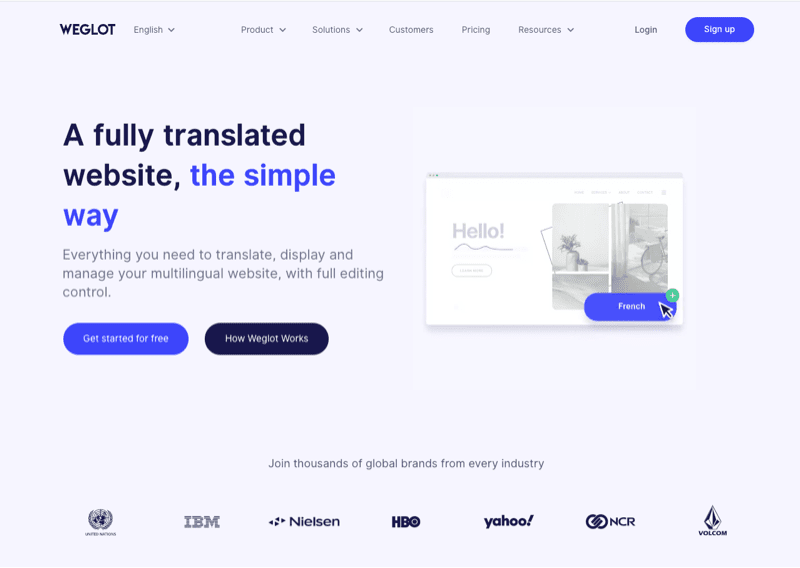
Weglot has a plugin for WordPress that when installed can automate much of the translation work.

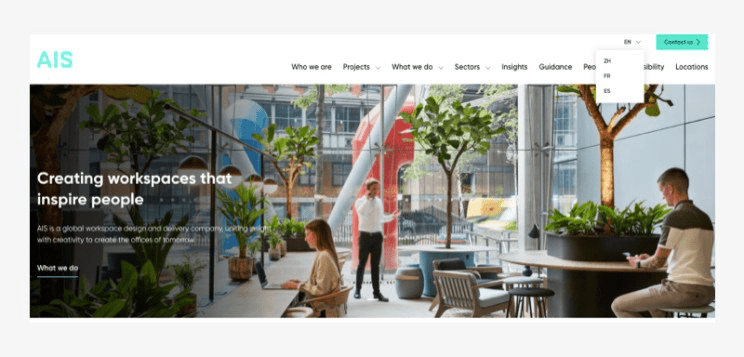
From the development side, as shown in the visual above from the AIS Interiors website, adding a language switcher for users to toggle between languages is practically the only work that is required.
The tool works to automate the content on the page by creating a duplicate on Weglot’s portal, where it is translated and reinserted back on to your website.
Although the service is automated, unlike Google Translate, it does give you the flexibility to edit the translations, if words or the local dialect are incorrect.
There’s even a find and replace function, so that any commonly used words will be updated any time they are used again. Weglot will remember how to translate them into that language going forwards, and its newer AI Language Model can be trained further on those edits so it makes fewer of the same mistakes next time.
If you’ve been pressured or are tempted to make your website multilingual, but struggled with the time and resources associated with manual translation, then maybe Weglot could work for you.
“But my boss hates monthly fees!”
I hear you! The solution to this would be to adapt the approach. Where you roll Weglot out and yes, the monthly fees kick in. But then you start planning for your website to have manual translations delivered whilst Weglot is doing its thing. You can then plan to switch to WPML at a later date. This way you can meet your short-term and long-term website translation goals.
You will need to factor in the translated content to your workflow if you do choose this route, but at least the main part of the work will have been delivered.
That’s a wrap for Swipe & Deploy #38. Join me next week when I’ll share another insight or piece of inspiration from around the web.

If you’d like to learn more about our WordPress & WooCommerce Support & Maintenance plans, drop us an email or give James a call.
Our plans provide a holistic solution to your website’s performance, reliability and security, and are inclusive of premium tools and services.
Could adding verification by industry experts help build trust with your users, in a world where so much content is AI slop?
James Coates
A recent addition to the Oh Polly website went viral, and prompted this week's Swipe & Deploy. Could your brand take inspiration from Oh Polly for your own website?
James Coates
A look at how adding functionality for users to save their basket can remove friction and improve your chances of a sale.
James Coates