
logo

WordPress Design Agency

020 3355 8747

Message Us
  • Home
  • About Impact®
    Learn More About Impact Media®
    • Meet The Team
       
    • Why WordPress
       
    • Careers
       
    • Giving Back
       
    • 100K Tree Challenge
       
    James Coates
    Schedule a discovery call with UX Specialist James
    Book A Call
  • WordPress Services
    Learn More About Our Services
    • WordPress Web Design
       
    • UX Design
       
    • WordPress Development
       
    • WordPress Support & Maintenance
       
    • WordPress Evolve Retainer
       
    • WordPress Multisite Development
       
    • WooCommerce
       
    • Replatform To WordPress
       
    • WordPress Consultancy
       
    • Integrations & Plugins
       
    • WordPress Managed Hosting
       
    • WordPress Health Check
       
    James Coates
    Schedule a discovery call with UX Specialist James
    Book A Call
  • Our Process
  • Case Studies
  • Insights
  • Contact Us
WordPress Design Agency
020 3355 8747
logo logo
Book A Call
Back
Menu
  • Home
     
  •  
    About Impact Media
    Learn More About The Impacters
    • Meet The Team
       
    • Why WordPress
       
    • Careers
       
    • Giving Back
       
    • 100K Tree Challenge
       
  •  
    Our Services
    Discover How We Can Help
    • WordPress Web Design
       
    • UX Design
       
    • WordPress Development
       
    • WordPress Support & Maintenance
       
    • WordPress Evolve Retainer
       
    • WordPress Multisite Development
       
    • WooCommerce
       
    • Replatform To WordPress
       
    • WordPress Consultancy
       
    • Integrations & Plugins
       
    • WordPress Managed Hosting
       
    • WordPress Health Check
       
  • Our Process
     
  • Case Studies
     
  • Insights
     
  • Contact Us
     
020 3355 8747
Mon - Fri • 9am - 5pm
Close

Oops! We could not locate your form.

Home / Insights / How To Create A Google Account With Your Work Email
Back

How To Create A Google Account With Your Work Email

Published 27.11.25
27th November 2025
Last Updated 28.11.25
28th November 2025
Newer
4 Min Read
Vikki Baker
Vikki Baker
Marketing
Older
4 Min Read
 
Vikki Baker
Vikki Baker
 
Marketing

A simple guide on connecting your work email address with a Google account.

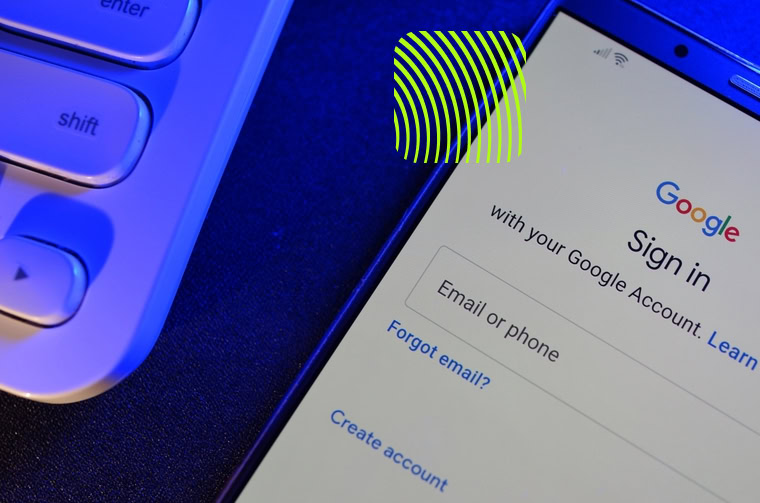
A phone showing the Google account creation screen

When we onboard new clients, we often request access to Google tools such as Analytics, Search Console, and Google Ads.

On other occasions, when we build new sites for clients, we also create analytics accounts, Tag Manager containers and set up Search Console for them, when they don’t already have these in place.

But what if you are new at your company, or have changed roles, and need access to these Google tools? Perhaps your predecessor didn’t leave information on accessing them?

If your organisation doesn’t use Gmail, you may wonder “How do I use my work email to access Google products?”

The good news is that you don’t need a Gmail address to create a Google Account.

In the case that your company doesn’t use Gmail or Google Workspace, your web or marketing agency may ask you to associate your work email address with a Google account, so they can add you to the relevant accounts.

You can turn any business email (e.g. name@company.co.uk) into a Google Account login in just a few minutes.

Below is a simple guide you can share with your team or anyone that needs to know how.

Why You Need A Google Account (Even If You Don’t Use Gmail)

Google requires every user to sign in with a Google Account to access their marketing and analytics tools.

A Google Account is not the same as Gmail. It is simply a login profile used across Google services.

With your work email as a Google Account, you’ll be able to easily access:

  • Google Analytics 4 (GA4)
  • Google Search Console
  • Google Tag Manager
  • Google Ads
  • Google Business Profile
  • Google Looker Studio (for dashboards)

This ensures secure, auditable, individual access without sharing passwords. You’ll just need an admin on each tool you need access to add you as a user.

How To Create A Google Account Using Your Work Email

(It takes less than 2 minutes)

  1. Go to https://accounts.google.com/signup
  2. Enter your first name and surname, then click next.
  3. Enter your date of birth and gender, then click next.
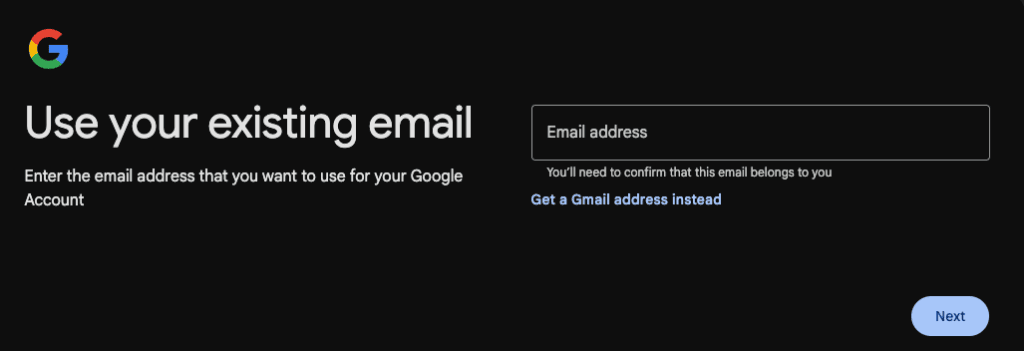
  4. Click “Use your existing email”
  5. Enter your work email address (e.g. firstname.lastname@company.co.uk)
  6. Create a password.
  7. Google will send a verification code to that email.
  8. Enter the verification code to confirm your identity.
  9. Done! Your work email is now a fully-functioning Google Account login.
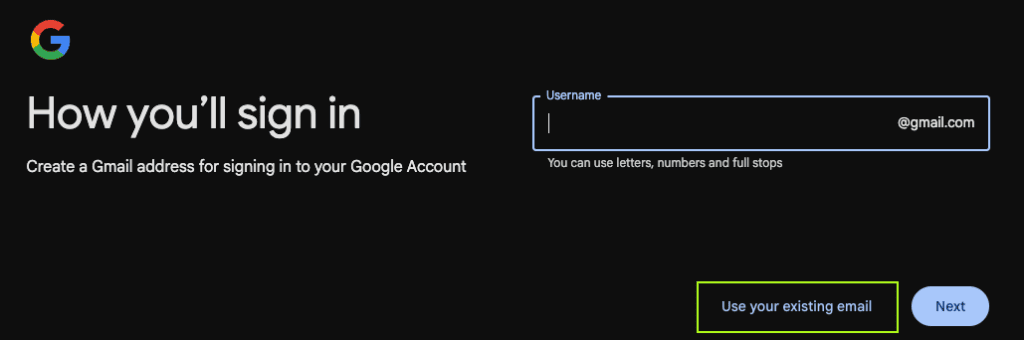
enter 'use your existing email'
enter your work email address

You can now sign in to any Google service you’ve been made a user of, using your business email, without changing the way your email works.

After You’ve Created Your Account

Once you’ve followed the steps above, please share your work email address with your web or marketing agency so they can add you to the necessary Google properties.

Depending on the project or your role, they may grant access to:

  • GA4 (for analytics)
  • Google Ads (for PPC campaigns)
  • Search Console (for SEO insights)
  • Tag Manager (for tracking implementation)
  • Looker Studio (for dashboards)

This also ensures your organisation retains full ownership and transparency.

Why This Method Is Best Practic

Using your own business email provides:

Security

Each team member has their own login, with no shared passwords.

Ownership

The business, not an agency, controls admin rights to their Google properties.

Easy Offboarding

If someone leaves the company, their access can be revoked instantly.

Professional Audit Trails

Google logs actions by user, making troubleshooting and compliance easier.

Need Help? We’re Here

If you have any trouble and you’d like us to walk you through setup, or you want us to review account permissions across your Google tools that we have access to, just let us know.

We’re always happy to guide your team and make sure everything is configured securely and correctly.

Share Socially
Vikki Baker
Vikki Baker
Digital Marketing Manager, Cat Lady & Former Female Indiana Jones
Vikki has over 14 years of experience in Digital Marketing for WordPress specialist agencies. She loves WordPress for its simplicity of use, huge flexibility, and how great it is for SEO.
View Team Profile
See More Articles
Vikki Baker
Vikki Baker
Digital Marketing Manager, Cat Lady & Former Female Indiana Jones
Vikki has over 14 years of experience in Digital Marketing for WordPress specialist agencies. She loves WordPress for its simplicity of use, huge flexibility, and how great it is for SEO.
See More Articles
View Team Profile

If You Liked This, You Might Like These

Marketing
August 8th, 2025
16 min read

Consent Management Platforms (CMPs) For WordPress

A look at some of the most popular Consent Management Platforms that are compatible with WordPress websites.

Vikki BakerVikki Baker
 
Marketing
July 17th, 2025
11 min read

Getting Your Website Found In AI Assisted Search

In this post we take a look at what is known currently about how to build and optimise sites for visibility in AI assisted search.

Vikki BakerVikki Baker
 
Marketing
July 3rd, 2025
4 min read

What Is Google’s Offerwall And Could It Save Smalle...

A brief look at Google's new Offerwall feature in Ad Manager, a potential new revenue stream for web publishers.

Vikki BakerVikki Baker
 
Let's Get The Ball
Rolling On Your New Website
Give us a call or drop us a message, to see if we could be the right fit for your project.
Let's Chat
studio@impactmedia.co.uk
020 3355 8747
Impact Media's LinkedIn
Impact Media's Twitter
Impact Media's Facebook
Impact Media's Instagram
Impact Media's Youtube
wordpress.org

About Impact

  • About Impact Media®
  • Meet The Impact Team
  • Why WordPress?
  • Our Web Development Process
  • Careers
  • Awards
  • Partners
  • Giving Back
  • 100K Tree Challenge

WordPress Services

  • WordPress Web Design
  • UX Design
  • WordPress Development
  • WordPress Evolve Retainers
  • WooCommerce Development
  • Multisite WordPress
  • Migrate To WordPress
  • Custom Integrations & Plugins
  • WordPress Consultancy

WordPress Support

  • WordPress Support & Maintenance
  • WordPress Managed Hosting
  • Case Studies
  • Insights
  • Contact Us

Addresses

London Address:

50 Liverpool Street,

London, EC2M 7PY, UK

+44 (0) 20 3355 8747


Registered Address:

Woodland Place, Hurricane Way

Wickford, SS11 8YB, UK

  • Privacy Policy
  • Cookie Policy
Impact Media logo
© Impact Media® 2003 - 2025
Impact Media is a trading name of IMDMS LTD. Company Reg. 05970261
Impact® & Impact Media®
are registered trademarks of IMDMS LTD