
logo

WordPress Design Agency

020 3355 8747

Message Us
  • Home
  • About Impact®
    Learn More About Impact Media®
    • Meet The Team
       
    • Why WordPress
       
    • Careers
       
    • Giving Back
       
    • 100K Tree Challenge
       
    James Coates
    Schedule a discovery call with UX Specialist James
    Book A Call
  • WordPress Services
    Learn More About Our Services
    • WordPress Web Design
       
    • UX Design
       
    • WordPress Development
       
    • WordPress Support & Maintenance
       
    • WordPress Evolve Retainer
       
    • WordPress Multisite Development
       
    • WooCommerce
       
    • Replatform To WordPress
       
    • WordPress Consultancy
       
    • Integrations & Plugins
       
    • WordPress Managed Hosting
       
    • WordPress Health Check
       
    James Coates
    Schedule a discovery call with UX Specialist James
    Book A Call
  • Our Process
  • Case Studies
  • Insights
  • Contact Us
WordPress Design Agency
020 3355 8747
logo logo
Book A Call
Back
Menu
  • Home
     
  •  
    About Impact Media
    Learn More About The Impacters
    • Meet The Team
       
    • Why WordPress
       
    • Careers
       
    • Giving Back
       
    • 100K Tree Challenge
       
  •  
    Our Services
    Discover How We Can Help
    • WordPress Web Design
       
    • UX Design
       
    • WordPress Development
       
    • WordPress Support & Maintenance
       
    • WordPress Evolve Retainer
       
    • WordPress Multisite Development
       
    • WooCommerce
       
    • Replatform To WordPress
       
    • WordPress Consultancy
       
    • Integrations & Plugins
       
    • WordPress Managed Hosting
       
    • WordPress Health Check
       
  • Our Process
     
  • Case Studies
     
  • Insights
     
  • Contact Us
     
020 3355 8747
Mon - Fri • 9am - 5pm
Close

Oops! We could not locate your form.

Home / Insights / Transform Errors Into Opportunities With Your 404 Page
Back

Transform Errors Into Opportunities With Your 404 Page

Published 23.06.23
23rd June 2023
Last Updated 22.05.25
22nd May 2025
Newer
13 Min Read
James Coates
James Coates
Swipe & Deploy
Older
13 Min Read
 
James Coates
James Coates
 
Swipe & Deploy

Turn errors into opportunities with well crafted 404 pages.

Swipe & Deploy 49 blog hero image of a detective.

Perhaps you’re doing some marketing research or researching a tool and you’re several clicks deep when like a jack in the box, up pops a “404 Error, Sorry Page Cannot Be Found”.

The link you just clicked on is dead and gone.

What Happens When Someone Finds A 404 Page?

In most instances a user is signposted to return to the homepage, or forced to hit the back button to return the page they were previously on. They might even open a new tab and search for the relevant link or info they were trying to find, potentially leaving the website altogether.

Is This What We All Want?

You’ve likely invested time or money in getting traffic to your website. Allowing them to leave disappointed wastes that investment and is a loss of an opportunity. So the question is, how can we get them to stay? How can we transform errors into opportunities?

What Even Is A 404 Error?

Firstly, 404 is not a user friendly term for an error. It’s web lingo that is confusing like many of the other HTTP status and error codes.

A 404 error is one that occurs when a page or file can simply be not be found. Whether it has been removed, deleted or never actually existed.

How Can I Find 404 Errors On My Website?

404 errors can happen not just on your website, but for links to other websites that your website points to. Any broken link would usually display a 404 page. SEOs are usually hot on this and discover and resolve any broken links, as it can have a negative effect for user experience.

Using a broken link checker can determine if there are any broken links on your website. Both those that are broken directly i.e. pages or documents on your website, and those you link out to.

Vikki at Impact uses a combination of Google Search Console, Screaming Frog and SEMrush to run checks for broken links. You can use other free tools such as AHREFS Broken Link Checker.

The image below is from AHREFS, and it shows Vikki is on the ball with resolving broken links. Well done Vik 🙂
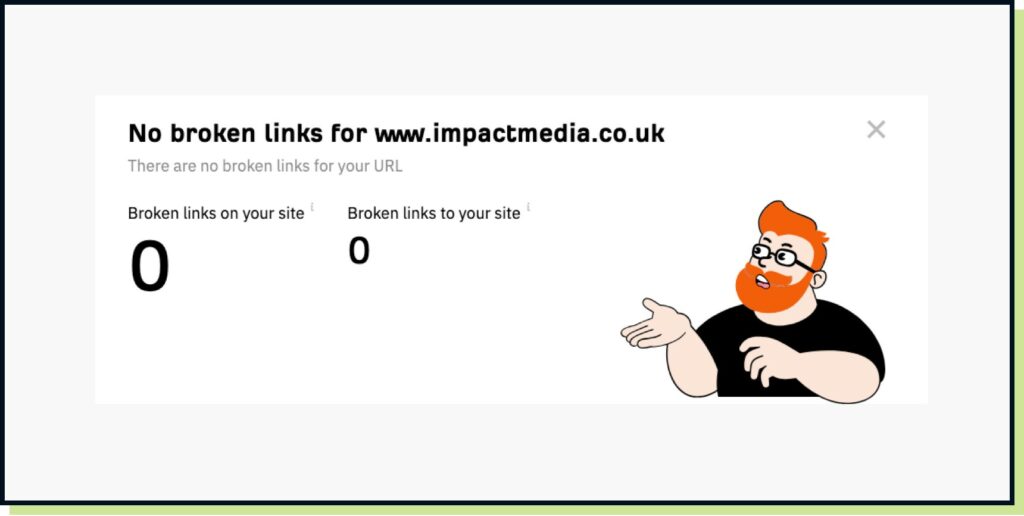
Impact Media website with no broken links

How Do I Fix 404 Page Errors?

If you’ve discovered broken links on your website, ensure that the page URL or media are still valid or remove the link if it is no longer needed.

Redirecting the link if it needs to go somewhere else can be done with a 301 redirect (more lingo). But here’s a guide on 301 redirects and how to use them.

No Broken Links But You Still Need A 404 Error Page!

Just because you’ve fixed the broken links, it doesn’t mean that more won’t occur. Or that no one will ever get lost on your website. It happens.

Maybe a URL was mistyped by your team or another person sharing a page. It’s easily done.

So having a page is one thing, but turning it into an opportunity is another.

Many brands don’t heavily focus on creating engaging 404 pages. Maybe their teams are so hot on content and broken links they know nobody is going to mess up.
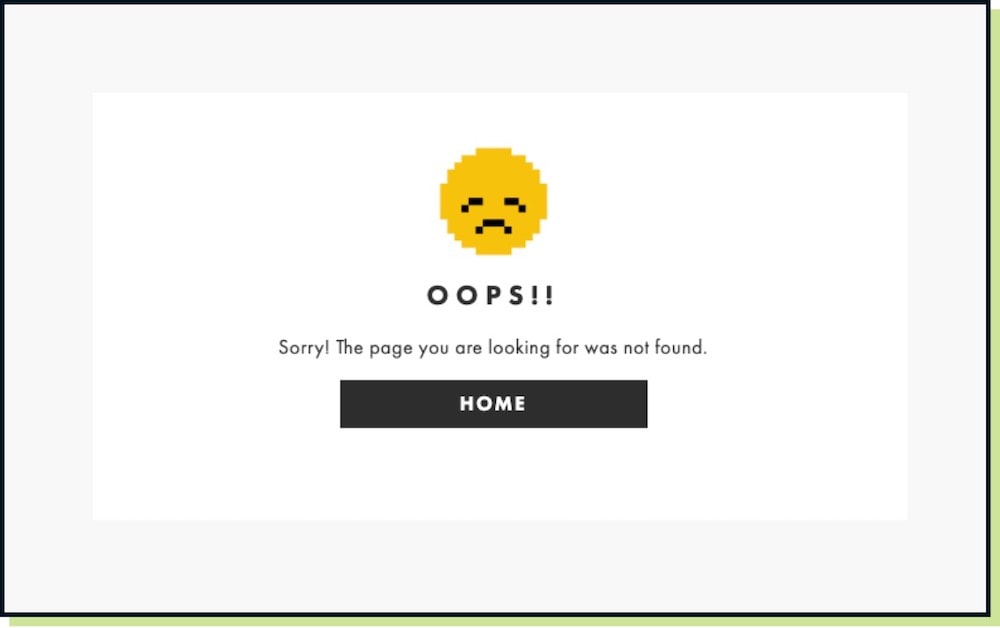
ASOS 404 Page
ASOS 404 Page

ASOS have a straight forward 404 page that simply provides a way of signposting the user back to the homepage.

The BBC’s allows you to return to the previous page. Handy, if like in our example above you were several clicks deep.
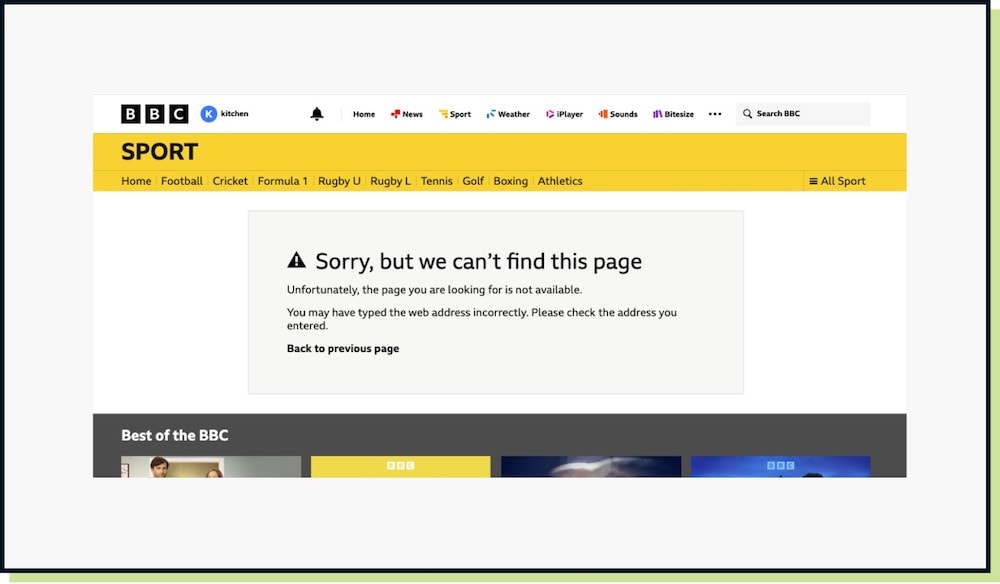
BBC 404 Page
BBC 404 Page

Rightmove’s example provides prompts to navigate to ‘search for a property’ and ‘sign in to your account’. These are likely the most common tasks users complete on the website.
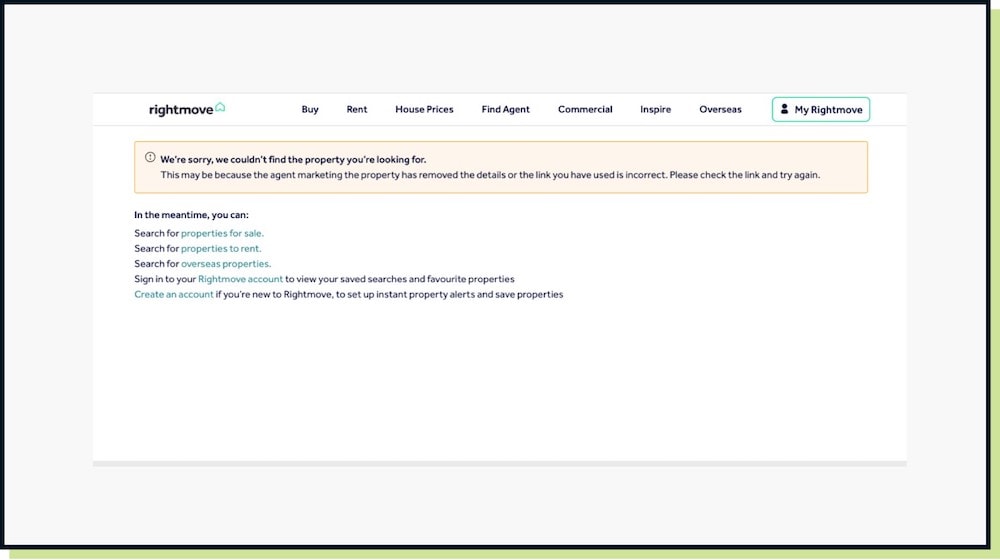
Rightmove 404 Page
Rightmove 404 Page

Whilst doing some research on this post, I actually found it difficult to get to the ASOS 404 page. Most of the mistyped URLs I was attempting were directing me back to the homepage. This is another tactic if you want to avoid a 404 page. But it can leave the user feeling confused as to why they are back on the homepage.

With no communication or message that something went wrong you risk confusing your users.

The Anatomy Of A Great 404 Page

So whilst you can clean up errors, it doesn’t solve the issue if your user found something that wasn’t intended.

Introducing a few items to help them continue their journey will improve the overall 404 user experience and try and turn an error into an opportunity.

  1. Clear communication – Be clear that they’ve found a page in error. Avoid using the term 404, but use language like ‘You’ve Found A Page You Shouldn’t Have’. A chance to inject some humour potentially as some of the examples shown below do.
  2. Navigation – Don’t direct to a page with zero navigation. Embed whatever message in a page with the website’s header and footer, so the user can navigate around easier.
  3. Show core navigation options – Like in the Rightmove example, directing users to you popular pages can be a way of signposting from the 404 page.
  4. Site search – If you website uses a search feature, include a search field. So that they can potentially search for the page or item that was missing.
  5. Return to previous page – If you were like the example above and a few clicks deep, simply getting back to the previous page is helpful.
  6. News/Case Studies/Products – Users landing on the 404 can be greeted with latest news articles, case studies or even popular products. Visually showing the content cards and not just the links, can provide further engagement and raise interest.
  7. Guides and lead capture – If you have guides or resources for users to download, presenting this on your 404 page can collect you a new lead if you have data capture forms that accompany your user guides.
  8. Report what went wrong? – Maybe you ask the user to report the issue. Not everyone will oblige but a form message on the page can be a lead reaching out. Writing a thank you email in return opens up a conversation. If you’re an eCommerce store maybe a coupon code will go down well.
  9. Have some fun and entertain them – Many brands use the 404 page as a way to entertain people who get lost. So think of something quirky that gets attention and can be talked about. Putting a game on the 404 page could encourage people to deliberately try and discover it, just to return and play the game.
  10. Ensure it’s on brand – Whether its with brand imagery or the tone of voice. Creating a page so it serves its purpose but also speaks and feels like your brand is important. A few examples are shown below.

Further 404 Examples

Here are some further examples, with a mix of informative, fun and on brand pages.
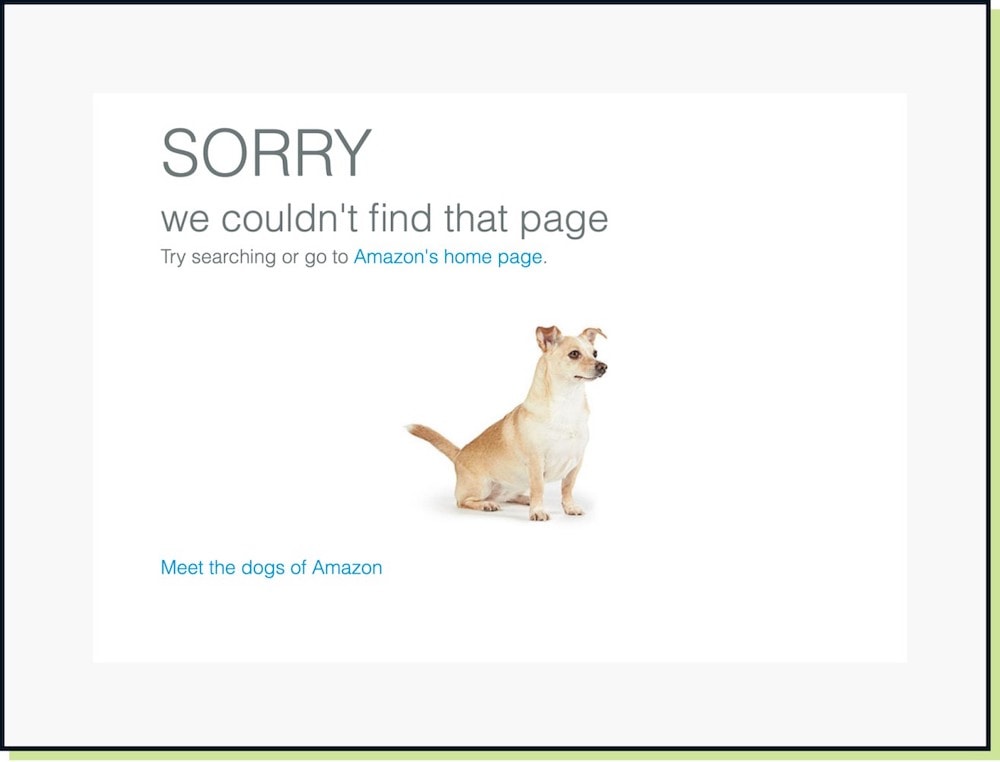
Amazon 404 Page
Amazon 404 Page

Amazon have some fun with their 404 page. It features a photo of a dog and directs the user to meet the dogs of Amazon, which takes you to a news article.
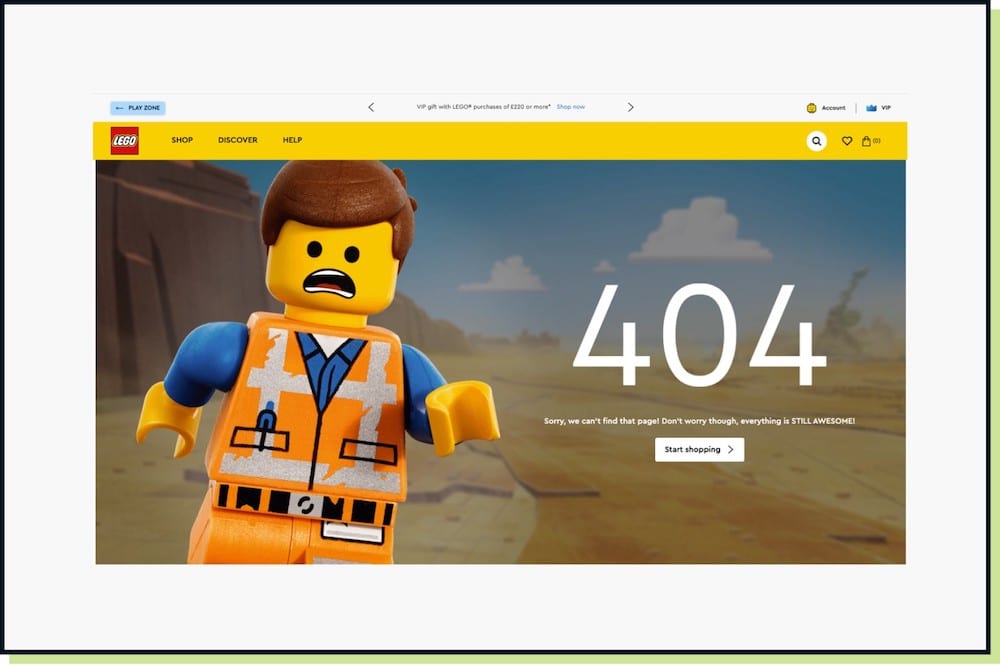
Lego 404 Page
Lego 404 Page

Lego deliver an on brand experience by saying ‘everything is still awesome’ with a photo of the chosen one Emmet. However, they use 404 in the copy which might confuse some people.
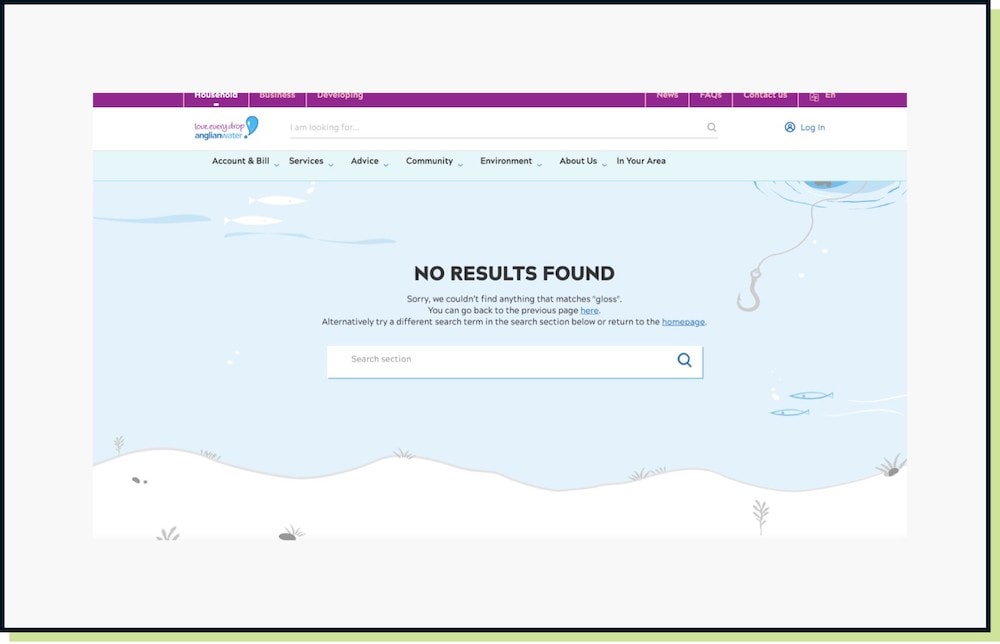
Anglian Water 404 Page

Anglian Water deliver a nice water focused illustrative look which is on brand. They also provide a search box as well as a return to previous page option.
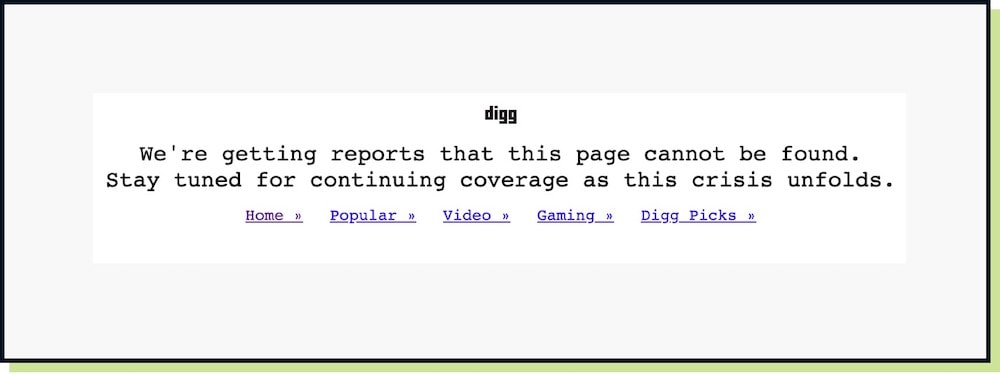
Digg 404 Page
Digg 404 Page

Finally, Digg deliver a quirky news themed message, whilst also providing hot links to core pages on the website.

So What’s To Swipe & Deploy?

The opportunity is looking at how can you improve the experience for your users, if they encounter a 404 error on your website?

Do you even have a 404 page in place, as some brands pay forget to implement one? If you do have one, what changes can be made to encourage users discovering dead ends, to continue browsing core content or to make a purchase.

Follow as many as the steps above. But also ensure that users are not discovering a 404 too often by minimising broken links on your website.

That’s a wrap for Swipe & Deploy #49. Join me next week when I’ll share another insight or piece of inspiration from around the web. 

A picture of James Coates.

If you’d like to learn more about our WordPress & WooCommerce Support & Maintenance plans, drop us an email or give James a call.

Our plans provide a holistic solution to your website’s performance, reliability and security, and are inclusive of premium tools and services.


button to visit contact page

Share Socially
James Coates
James Coates
UX & Web Strategist, Coffee Lover & Ex-Flower Arranging Champ
James is a UX specialist and is passionate about delivering better digital experiences. He provides insights on improving conversions, increasing sales and delivering more engaging content.
View Team Profile
See More Articles
James Coates
James Coates
UX & Web Strategist, Coffee Lover & Ex-Flower Arranging Champ
James is a UX specialist and is passionate about delivering better digital experiences. He provides insights on improving conversions, increasing sales and delivering more engaging content.
See More Articles
View Team Profile

If You Liked This, You Might Like These

Swipe & Deploy
August 22nd, 2025
6 min read

Human Checked Articles – When Getting Content Right...

Could adding verification by industry experts help build trust with your users, in a world where so much content is AI slop?


James CoatesJames Coates
 
Swipe & Deploy
August 11th, 2025
5 min read

Could You Create Video Stories On Your Product Category P...

A recent addition to the Oh Polly website went viral, and prompted this week's Swipe & Deploy. Could your brand take inspiration from Oh Polly for your own website?

James CoatesJames Coates
 
Swipe & Deploy
July 25th, 2025
7 min read

Why Saving A Basket Can Save A Sale

A look at how adding functionality for users to save their basket can remove friction and improve your chances of a sale.

James CoatesJames Coates
 
Want more control over
how you manage content in WordPress?
Edit content that was previously restricted and get creative with building pages in WordPress.
Let's Chat
studio@impactmedia.co.uk
020 3355 8747
Impact Media's LinkedIn
Impact Media's Twitter
Impact Media's Facebook
Impact Media's Instagram
Impact Media's Youtube
wordpress.org

About Impact

  • About Impact Media®
  • Meet The Impact Team
  • Why WordPress?
  • Our Web Development Process
  • Careers
  • Awards
  • Partners
  • Giving Back
  • 100K Tree Challenge

WordPress Services

  • WordPress Web Design
  • UX Design
  • WordPress Development
  • WordPress Evolve Retainers
  • WooCommerce Development
  • Multisite WordPress
  • Migrate To WordPress
  • Custom Integrations & Plugins
  • WordPress Consultancy

WordPress Support

  • WordPress Support & Maintenance
  • WordPress Managed Hosting
  • Case Studies
  • Insights
  • Contact Us

Addresses

London Address:

50 Liverpool Street,

London, EC2M 7PY, UK

+44 (0) 20 3355 8747


Registered Address:

Woodland Place, Hurricane Way

Wickford, SS11 8YB, UK

  • Privacy Policy
  • Cookie Policy
Impact Media logo
© Impact Media® 2003 - 2026
Impact Media is a trading name of IMDMS LTD. Company Reg. 05970261
Impact® & Impact Media®
are registered trademarks of IMDMS LTD