Why Good Usability Extends Further Than Your Website’s Frontend
Providing a good user experience should go beyond frontend usability. Discover the importance of backend usability for successful websites.
Oops! We could not locate your form.
Providing a good user experience should go beyond frontend usability. Discover the importance of backend usability for successful websites.

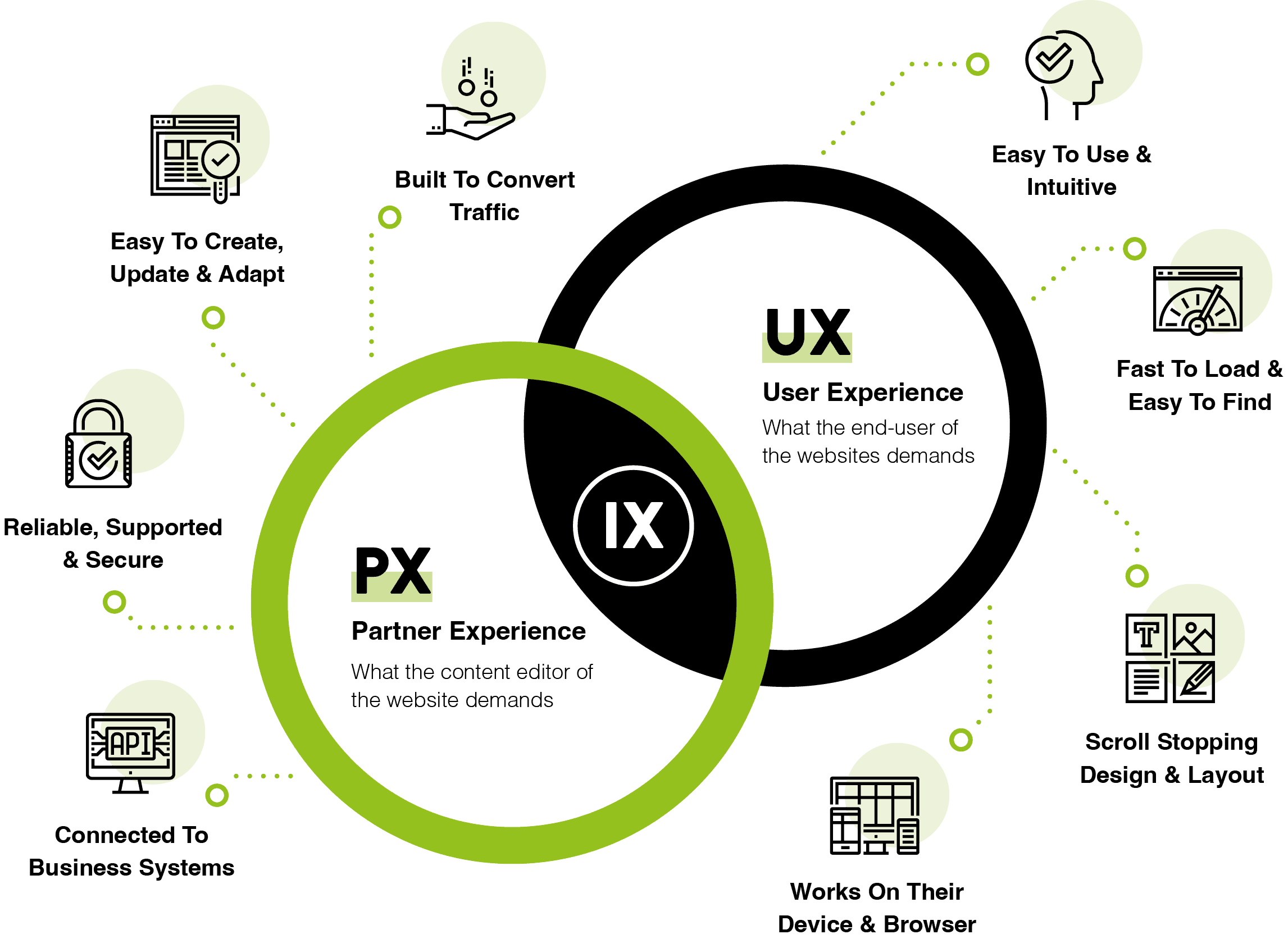
When we think about website usability, we often focus on the frontend of a website. The design, layout, and overall user experience that visitors interact with. But good usability goes much deeper than the surface level.
Behind every business website is a complex system of backend processes, content management tools, and workflows that impact how smoothly and efficiently the website operates.
Good usability should be a seamless experience not only for end-users but also for the people managing and updating the website. Here’s why usability needs to extend beyond the frontend, and why it’s essential for successful, sustainable websites.
Good usability isn’t just about making the site easy for visitors to navigate; it’s also about empowering the team that manages the site on a day-to-day basis.
A well-structured backend, and most importantly, a well designed page editor/builder, can make creating and updating content, managing product catalogues, or adding new pages easy and efficient.
This allows marketing teams to keep the site fresh and inline with business goals without delays or errors. Nothing grinds progress to a halt more than waiting for developers to make content changes and additions to a site, which you should be able to do yourself.

With a content management system (CMS) like WordPress, good developers can be configure the editing and page building experience, to make it easier for content managers to add or update content without the need for technical skills. Really good developers can provide this, whilst also providing a level of flexibility and control that goes beyond the standard handful of page templates, but in a way that ensures consistency of branding and styling.
This kind of backend usability minimises frustration and reduces the risk of mistakes, allowing your team to stay focused on delivering high-quality, relevant content to your audience. It also ensures creativity can thrive, without the risk of stepping outside of brand guidelines.
Good backend usability isn’t just about short-term gains, it’s also essential for the long-term scalability and adaptability of the website. As your business grows and changes, so will your website’s needs.
An adaptable backend with a clean structure, user friendly content creation, and accessible tools will make it easier to add new sections, features, integrations, and content without needing a complete overhaul.
A website that is easy to update and expand keeps you ahead of market trends and ensures that your site can grow along with your business. This level of scalability is only possible when both the frontend and backend are designed with usability and future-proofing in mind.
As websites become more complex, usability on the backend becomes even more critical. eCommerce sites, for example, often have a multitude of moving parts. From inventory management and payment processing, to shipping updates, and customer data tracking. When the backend is designed with usability in mind, these processes can be automated, reducing manual work and making it easier for staff to manage.
A backend that supports automated workflows saves time, reduces human error, and enhances the accuracy of the information displayed on the frontend, such as product availability or shipping times. For complex sites, backend usability is key to scaling operations and keeping everything running smoothly.
A backend that’s easy to use also enables consistency in how content is displayed on the frontend. When backend fields, tags, and categories are clearly defined and easy to access, it helps ensure that data is entered correctly and consistently across the site.

A well-designed backend is crucial for a website’s SEO and organic performance. For example, user-friendly backend tools can make it easy for teams to add structured data, update meta data, and implement performance-boosting measures like caching or lazy loading.
When these elements are part of the backend workflow, your team can manage SEO and performance without additional barriers created by a difficult CMS.
Good usability is a holistic experience that goes far beyond the frontend. It’s about ensuring that every person who interacts with your site, whether they’re a customer browsing products or a team member updating content, has a smooth, efficient experience.
By focusing on backend usability as well as frontend design, you create a website that is not only enjoyable to use but also easy to manage, scalable, and empowers your team.
At Impact Media, we understand the importance of usability for both the frontend and the backend of a website. Our approach ensures that your site not only looks great but also works for you behind the scenes, providing a user-friendly experience for everyone involved.

We’ve been around since 2003. 21 years of web design, development and support, and listening to the challenges of the brands we work with. In more recent years we used this insight to develop our bespoke code-free page builder for WordPress, called Imblox.
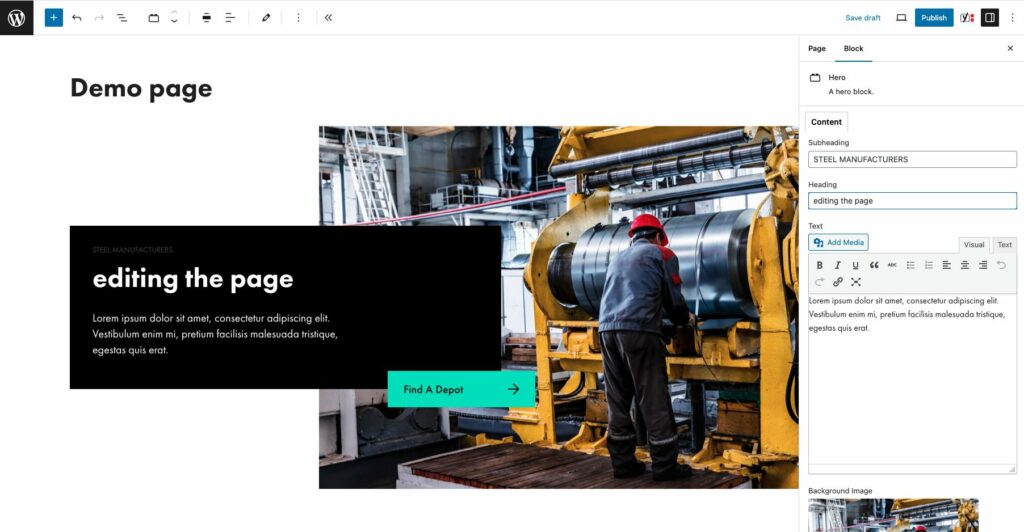
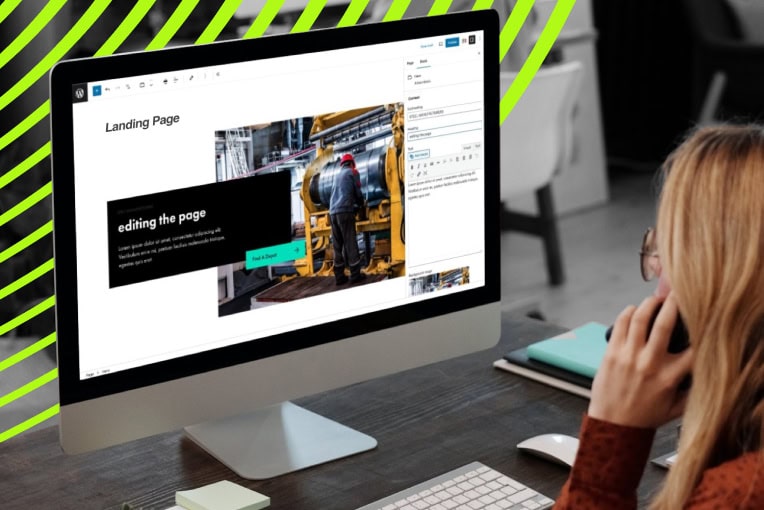
Imblox is a block based editor, and it works inside of WordPress, giving users a visual editor to work with when creating their content.
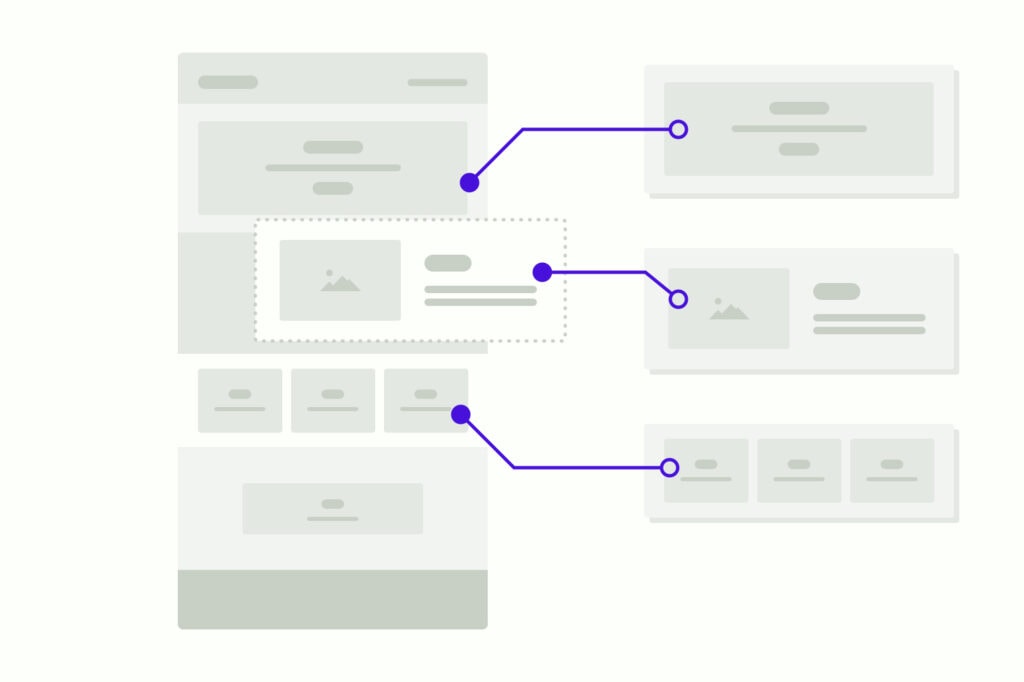
Instead of limiting editors to a handful of page templates to accommodate all types of content, Imblox unlocks flexible content creation, providing a library of blocks which can be used in any combination to build new landing pages. Yet it ensures that core pages that should remain untouched, cannot fall victim to well meaning editing.

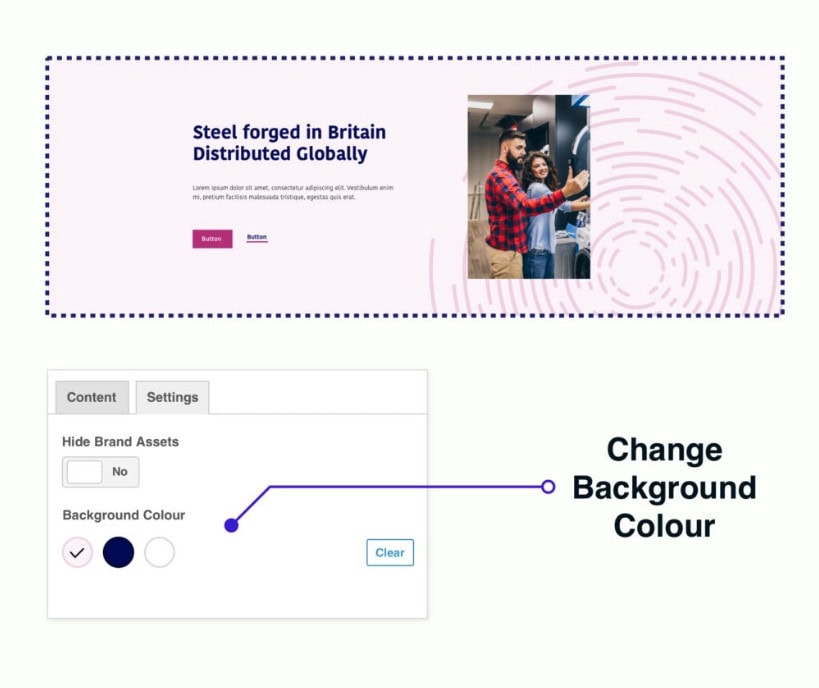
The blocks are all on brand and many offer multiple styling options to provide further flexibility, but importantly, they are locked to protect your company’s branding and styling guidelines. So there is no risk of an editor getting carried away with off-brand colours, fonts, sizing and so on.

Imbox reduces the need for reliance on your developer to create new pages and layouts for you, and removes the need for third party landing page tools like Unbounce.
Instead, your team can use your library on branded blocks within a visual drag and drop editor in WordPress, to build out landing pages in minutes.
The Imblox editing experience provides the ability to create an infinite number of page layouts
using predefined and brand approved blocks within your web pages. Reducing the need to rely
on your agency to constantly design and develop new page templates.
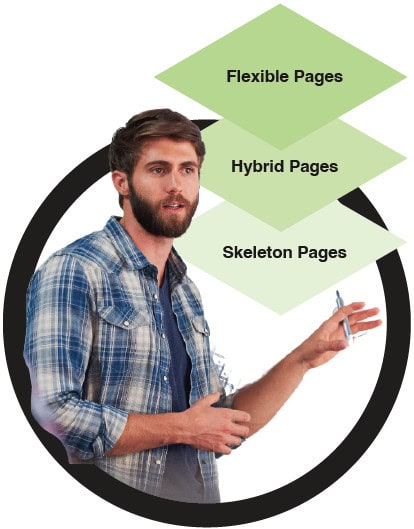
When we build websites, the pages in the sitemap are divided into 3 types: skeleton pages, flexible pages, and hybrid pages.

These are those pages that should remain the same, and you don’t want editors to have much access to. This includes the likes of News or Blog landing pages that dynamically pull through posts.
These are pages that sit somewhere between skeleton pages and flexible pages. A hybrid page is for those pages that require certain key elements to be fixed on the page, yet, also provides an area or areas where modular blocks can be added. Perfect for individual news/blog pages, product pages, contact pages, and landing pages.
This is where you are able to create a new page from a blank canvas using your pre-defined modular blocks in any combination. The full Imblox experience if you like. Perfect for campaign landing pages, service pages, culture pages and about us pages.
Marketing Managers rejoice! Say goodbye to stale and limiting page templates, whilst never again having to deal with well meaning content editors going off-brand or ignoring styling guidelines. You can get gorgeous campaign landing pages live in record time, with no coding knowledge and no waiting on developers.
In the context of web design and development, usability refers to how easy it is for someone to use your website and complete their goals. Whether that be making a purchase, finding the information they require, or submitting a contact form.

If you’d like to learn more about Imblox, drop us an email or give James a call.
Let’s see if our process could give your team the code-free content flexibility that they dream of, and the consistency and control that your brand guardians need.
WordPress Core version 7.1 was released on August 19th. Here's a quick summary of some of the main changes and updates.
Vikki Baker
The biggest update to the world's most popular CMS in years has landed, and it changes more than just the editor.
Martin Coates
When your business reaches a certain scale, your website stops being a simple marketing tool and becomes a critical piece of infrastructure.
Rommel Plofino