logo

WordPress Design Agency

020 3355 8747

Message Us
  • Home
  • About Impact®
    Learn More About Impact Media®
    • Meet The Team
       
    • Why WordPress
       
    • Careers
       
    • Giving Back
       
    • 100K Tree Challenge
       
    James Coates
    Schedule a discovery call with UX Specialist James
    Book A Call
  • WordPress Services
    Learn More About Our Services
    • WordPress Web Design
       
    • UX Design
       
    • WordPress Development
       
    • WordPress Support & Maintenance
       
    • WordPress Evolve Retainer
       
    • WordPress Multisite Development
       
    • WooCommerce
       
    • Replatform To WordPress
       
    • WordPress Consultancy
       
    • Integrations & Plugins
       
    • WordPress Managed Hosting
       
    • WordPress Health Check
       
    James Coates
    Schedule a discovery call with UX Specialist James
    Book A Call
  • Our Process
  • Case Studies
  • Insights
  • Contact Us
WordPress Design Agency
020 3355 8747
logo logo
Book A Call
Back
Menu
  • Home
     
  •  
    About Impact Media
    Learn More About The Impacters
    • Meet The Team
       
    • Why WordPress
       
    • Careers
       
    • Giving Back
       
    • 100K Tree Challenge
       
  •  
    Our Services
    Discover How We Can Help
    • WordPress Web Design
       
    • UX Design
       
    • WordPress Development
       
    • WordPress Support & Maintenance
       
    • WordPress Evolve Retainer
       
    • WordPress Multisite Development
       
    • WooCommerce
       
    • Replatform To WordPress
       
    • WordPress Consultancy
       
    • Integrations & Plugins
       
    • WordPress Managed Hosting
       
    • WordPress Health Check
       
  • Our Process
     
  • Case Studies
     
  • Insights
     
  • Contact Us
     
020 3355 8747
Mon - Fri • 9am - 5pm
Close

Oops! We could not locate your form.

Home / Insights / Do Website Pop-Ups Work? Types, Opportunities & Best Practices
Back

Do Website Pop-Ups Work? Types, Opportunities & Best Practices

Published 10.08.22
10th August 2022
Last Updated 24.03.26
24th March 2026

Newer
11 Min Read
Vikki Baker
Vikki Baker
Marketing
Older
11 Min Read
 
Vikki Baker
Vikki Baker
 
Marketing

Pop-ups walk a fine line between being intrusive and being an effective conversion tool. Learn about the different types and best practices when implementing them into your marketing strategy.
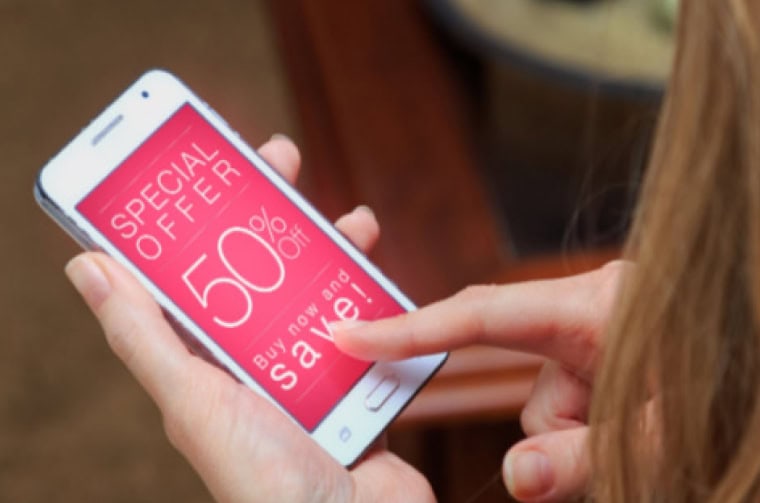

woman looking at a pop-up on a mobile phone

We’ve all encountered pop-ups when browsing the web. The chances are that in most cases they were spammy, annoying, or irrelevant. That, or related to cookie permissions.

The truth is though, that when implemented strategically, website pop-ups aren’t intrusive. Instead, they can become a powerful tool to generate conversions, whether sales, leads or email signups.

To turn pop-ups from an intrusive interference into an effective and appreciated marketing tool, you have to understand their nuances. A spray and pray approach can be damaging not only to user experience but also to how search engines like Google rate your page to help decide if and where it will rank for a relevant search query. However, selective and subtle use can provide excellent results.

In this post, we’ll cover the basic types of website pop-ups, why and how they can work, and how to implement them into your digital marketing strategy. Let’s dig in.

5 Common Types of Website Pop-Up

The definition of a website pop-up is relatively broad and simple. It’s a type of overlay or modal that appears outside of the typical user interface on a webpage, usually covering some of that page’s content in order to display a message. The messaging is usually promotional, but not always.

As a result, there are actually quite a few different types of website pop-ups. 5 of the most common are listed below.

1. Welcome (Entry) Pop-Ups

These appear as soon as a website loads. They’re especially common on the websites of news publishers asking for subscriptions, and on e-commerce websites with offers for new users. They are also used on websites when wanting to get a core message across, like a lightning sale.

Used incorrectly, they can be immensely intrusive and cause users to leave immediately. It can be incredibly frustrating when landing on a page of information you want to read, to immediately have it obscured by a pop-up pushing you to complete an action that you’re not ready for.

2. Exit Intent Pop-Ups

These are generally used to prompt users with an attractive offer to prevent them from leaving a website. They’re common in middle and bottom-funnel conversions, like shopping cart pages on e-commerce websites. They’re triggered by an action that means that a user is about to leave a website, like their cursor moving toward the X to close the browser tab.

Used effectively they can tip a lost opportunity into a guaranteed sale. Use incorrectly, they can feel pushy or irrelevant.

3. Top of Page Banners

These are banners that appear at the top of a page. They usually push the rest of the standard page content and design down so that they’re very prominent at the top of the browser window. They’re most common on websites looking to share important information, either site-wide or on specific pages.

4. Timed Pop-Ups

These appear once a user has been on a specific page of a website for a pre-defined amount of time. For example, once a user has been on a product page for 45 seconds, a timed pop-up might appear prompting some action or other natural next step.

This type of pop-up can also have other triggers, like scroll depth on a page.

5. Click Pop-Ups

These activate once a user clicks on a specific element on a page. They’re also known as user intent pop-ups and tend to be the least intrusive option because they align with the user journey and only appear when visitors actually expect a pop-up or redirect.

Outdated Pop-Ups

Back in what felt like the wild west days of the internet, pop-ups were far more prevalent. You couldn’t avoid being bombarded by them. They were also frequently used for nefarious means, which is part of why we’re primed to dislike them.

As long as the internet exists, people will try and use it to achieve page views and clicks in dishonest or misleading ways, but thankfully the web browser companies have helped to squash out a lot of this out.

One outdated pop-up type you may still encounter on occasion is the new window pop-up. A type of entry pop-up that opens in a new browser window or tab as soon as a user visits a specific page. Most browsers now block this pop-up type because search engines like Google deem them intrusive and penalise websites using them accordingly.

3 Typical Pop-Up Positions on Websites

In addition to the types of pop-ups available, it’s also important to consider where in the browser window they’ll appear:

  1. Top-of-page popups appear across the top, typically as banners and even above the company logo and navigation.
  2. Centre-of-page popups appear over the content a user is currently consuming, like a timed subscription pop-up appearing over a blog post once a user has been on the page for 60 seconds.
  3. Bottom-of-page popups appear at the bottom of the browser window, to avoid disrupting the user experience. They’re the least intrusive, but also least likely to be seen.

In some rare cases, you might also come across sidebar pop-ups that appear alongside or above the sidebar navigation if there is one. Again, these are less intrusive but also less likely to produce user actions.

Why Use Pop-Ups?

Regardless of a website’s purpose or audience, pop-ups only make sense when they are calls to action prompting the user to take a defined next step, or as a way to provide important information relevant to the user’s visit. As a result, most websites and companies use them for one of these goals:

Data collection

These are common across B2B and B2C websites, to collect data for more direct marketing communications.

  • Join an email list for a discount.
  • Join an email list for free content.
  • Provide data to receive a piece of content.
  • Provide an email address to be sent a reminder of your basket contents.
  • Surveys, relevant for UX research and customer satisfaction insights.
  • Subscriptions and opt-ins.

Promotion & awareness

Another very common goal is to provide awareness or promote something that a user may be interested in, or that may prompt them into action.

  • Introducing a new service or product.
  • Promoting a sale.
  • Promoting an event, like a webinar, conference or opening.
  • Content promotions, like a prompt to download a new in-depth resource.
  • Notifications of delays or issues.
  • Reminders and countdowns special days and seasonal events. For example, Christmas stocking fillers, Mother’s Day gifts, Easter recipes, back to school must haves.

Adding value

Some are to provide added value in the hope of being memorable and helpful to attract potential customers in future. Especially for businesses with longer and more considered buying cycles. Many content marketing pieces will sit within this category and another, like data collection.

  • A free piece of useful content relevant to a page being viewed.
  • A useful free tool relevant to the content being viewed or services offered.
  • Regular mailers with tips and advice.

Drive conversions or upsell

These usually take the form of offers and discounts and are especially common on e-commerce websites.

  • Check out now to receive a discount.
  • Spend more to qualify for free or discounted shipping.
  • Discounts for first-time visitors.
  • Creating urgency through timed offers or availability.
  • Free trials.

Creating direct contact

For many businesses, especially in B2B industries, a conversation with a sales person can be the best way to secure a sale.

  • Request a callback.
  • Request a free quote.

Not all pop-ups are limited to these purposes, of course. As long as they help an audience take a step they should want to take, and that you want them to take, they can be built to help increase your conversion rate.

Do Pop-Ups Actually Work?

At their worst, pop-ups are intrusive, create a poor user experience, and if used wrongly or excessively can actively damage organic search performance.

At their best, though, they’re relevant enough to actually make a significant positive difference in the user journey, and on your conversion rate.

Over the years, a number of studies have found that there are significant positive effects when using this marketing tactic strategically:

  • According to Sumo and a study evaluating almost 2 billion pop-ups, the average conversion rate for pop-ups is above 3%, while the top 10% of websites average a conversion rate of over 9%.
  • Drip analysed over a billion pop-ups from their customers, with some great insights on how to optimise them for conversions. An example being that pop-ups with images perform 84% better than those without images.
  • OptiMonk have case studies showing examples where website pop-ups have increased lead generation by as much as 162%.

That last study is especially relevant. Pop-ups are generally additive, meaning they’re designed to generate conversions that wouldn’t otherwise occur. A 3% conversion rate can be a very significant increase regardless of whether it is in lead generation or sales.

Do Website Pop-Ups Work On Mobile Devices?

Traditionally, pop-up ads are most common on desktop-based websites. But as it turns out, studies have begun to show that they’re actually very effective on mobile devices. One service provider, for example, found that mobile pop-ups converted at a 11.01% rate. 

That said, the use of pop-ups on mobile devices is even more delicate than it is for desktops. Intrusive automatic pop-ups are not typically well-received, because they can be difficult to close on a touch-screen. Instead, most experts recommend action (or click) pop-ups that only appear when prompted by a user, which might explain the higher conversion rates.

5 Best Practices For Implementing Pop-Ups On WordPress Websites

Pop-ups on websites walk a fine balance. They can work, but can also be intrusive and decrease user experience, website experience, and SEO. These best practices can help you make sure you tend toward the former, not the latter side of that balance.

1. Start With User Goals

Relevance is the absolute key. For each page where you’re considering a pop-up, consider the goals your users might have, and how they navigate your page to achieve them. This allows you to choose both the right pop-up type, placement, and message to lean away from intrusion and towards a mutually-beneficial prompt.

2. Avoid Falling Foul Of Google Guidelines

Google doesn’t punish every type of pop-up, but it is very strict on what it calls intrusive interstitials. These pop-up tactics can hurt your chances of ranking well:

  • An immediate pop-up on the main landing page for a new user.
  • A time-triggered pop-up on the home page or a key category page.
  • A pop-up that disallows users from viewing content without first closing it.
  • A website template in which a pop-up takes up the top third of the entire layout.
  • Any interstitial that disrupts the user experience.

Some of these are broad guidelines, of course. The key is similar to anything SEO-related. Focus on providing a good user experience, relevance and value for your users, and you have a higher chance of avoiding damage to your ranking chances.

3. Keep Your Pop-Ups Simple

Every pop-up should have a single goal, and every part of its message and design should focus around that goal. The more streamlined and clear your offer is, the better off you are. This also allows you to keep it relatively small for minimal disruption.

4. Pay Special Attention To Mobile Devices

Don’t assume that, just because it works for desktop devices, the same is true for mobile users. Treat them as separate audiences to make sure that every pop-up makes sense. Not just in the context of the page content, but also in the context of how your users are browsing the site on a given device.

5. Implement the Right Technology

Another potential pitfall of pop-ups is the impact they can have on your website’s performance if implemented with the wrong technology. Implementing them on your WordPress site means finding the right technology to prevent that.

Many 3rd party page builders like Elementor include pop-up options, as do a number of CRMs and marketing automation tools like HubSpot. There are also a number of WordPress pop-up plugins available, and of course custom-built options.

Speak to your web developer about what option is best for your website, to reduce the impact on performance and to avoid disrupting page experience.

Summary

When planning your marketing strategy, don’t forget about the opportunities that pop-ups can provide. With the right planning and strategic implementation, they can make a significant difference in your conversion rate. But, you have to get them right in order to avoid alienating your users.

Fortunately, you’re not on your own. When working with Impact Media, we can help you make sure pop-ups and customisable banners are included in the website design and build process. We can also help you add them to your existing WordPress website as part of a development retainer. Just contact us to get started.

A picture of James Coates.

If you’d like to learn more about our WordPress & WooCommerce Support & Maintenance plans, drop us an email or give James a call.

Our plans provide a holistic solution to your website’s performance, reliability and security, and are inclusive of premium tools and services.

button to visit contact page
Share Socially
Vikki Baker
Vikki Baker
Digital Marketing Manager, Cat Lady & Former Female Indiana Jones
Vikki has over 15 years of experience in Digital Marketing for WordPress specialist agencies. She loves WordPress for its simplicity of use, huge flexibility, and how great it is for SEO.
View Team Profile
See More Articles
Vikki Baker
Vikki Baker
Digital Marketing Manager, Cat Lady & Former Female Indiana Jones
Vikki has over 15 years of experience in Digital Marketing for WordPress specialist agencies. She loves WordPress for its simplicity of use, huge flexibility, and how great it is for SEO.
See More Articles
View Team Profile

If You Liked This, You Might Like These

Marketing
August 18th, 2026
13 min read

The Risks Of Domain Migrations & How To Manage Them

Discover the key factors in a successful domain migration. Understand the risks before making this crucial change.

Vikki BakerVikki Baker
 
Marketing
An email inbox open on a laptop screen.
July 3rd, 2026
9 min read

Email Tracking Compliance Just Got Harder. What Do UK Mar...

Stay informed about the latest developments in email tracking. Compliance in the EU and UK is more complex than ever for businesses.

Vikki BakerVikki Baker
 
Marketing
May 29th, 2026
13 min read

A Guide To The Page Indexing Report In Google Search Cons...

This post is designed to help marketing teams and professionals without an SEO background, who have access to their company's Search Console account, and are daunted by the Page Indexing report.

Vikki BakerVikki Baker
 
Looking For Support For
Your WordPress Website?
Let Us Take The Stress Of Website Maintenance & Support Off Your Plate
Let's Chat
studio@impactmedia.co.uk
020 3355 8747
Impact Media's LinkedIn
Impact Media's Twitter
Impact Media's Facebook
Impact Media's Instagram
Impact Media's Youtube
wordpress.org

About Impact

  • About Impact Media®
  • Meet The Impact Team
  • Why WordPress?
  • Our Web Development Process
  • Careers
  • Awards
  • Partners
  • Giving Back
  • 100K Tree Challenge

WordPress Services

  • WordPress Web Design
  • UX Design
  • WordPress Development
  • WordPress Evolve Retainers
  • WooCommerce Development
  • Multisite WordPress
  • Migrate To WordPress
  • Custom Integrations & Plugins
  • WordPress Consultancy

WordPress Support

  • WordPress Support & Maintenance
  • WordPress Managed Hosting
  • Case Studies
  • Insights
  • Contact Us

Addresses

London Address:

50 Liverpool Street,

London, EC2M 7PY, UK

+44 (0) 20 3355 8747


Registered Address:

Woodland Place, Hurricane Way

Wickford, SS11 8YB, UK

  • Privacy Policy
  • Cookie Policy
Impact Media logo
© Impact Media® 2003 - 2026
Impact Media is a trading name of IMDMS LTD. Company Reg. 05970261
Impact® & Impact Media®
are registered trademarks of IMDMS LTD