

Think You WordPress Site Doesn’t Need Maintenance? Why ‘It’s Fine’ Rarely Stays That Way
Published 15.07.26
15th July 2026

Think your business’s WordPress website doesn’t need maintenance? Think again.


Oops! We could not locate your form.
Think your business’s WordPress website doesn’t need maintenance? Think again.
Most WordPress sites don’t fail because someone broke them. They fail because nobody was looking when something quietly went wrong.
I hear a version of the same argument a lot. The site is up, it loads, it does its job, so maintenance feels like an extra cost stacked on top of hosting for no real reason. It’s a fair question, but “nothing has broken yet” and “nothing is going to break” aren’t the same statement, and mixing them up is usually how a maintenance budget gets cut right up until the week it’s needed most.
There are two ways a WordPress site tends to get into trouble, and they come from opposite directions – too much activity, or not enough.
If you’re in the WordPress editor most weeks, working on new landing pages, updated product copy, or new form for a campaign, every one of those sessions is also a small chance to introduce a problem that doesn’t show up right away.
Block and Pattern Conflicts
A reusable block or pattern gets tweaked for one page, and the change ripples out to every other page that uses it. A theme or plugin update silently overrides styling that was working fine on pages you published months ago. Nobody notices until someone points out that a pricing table three months old suddenly looks wrong.
Plugin Stacking
New website features tend to bring new plugins with them. A popup here, a booking widget there. Run enough of them touching the same part of a page and two will eventually conflict. These conflicts are often page-specific rather than site wide, which makes them genuinely difficult to spot until a campaign or page is already live.
Database and Media Bloat
Drafts, revisions, and uploads pile up in the database in the background. Nothing dramatic happens at first, but eventually the whole site slows down, including pages nobody’s touched in months.
Third-Party Embeds Breaking Quietly
Forms and booking widgets usually pull in a script hosted somewhere else, on somebody else’s release schedule. A page that worked fine in March can quietly stop working in June with no changes made on your end at all.
No Safe Space to Test Changes
Without staging or version control, every edit happens directly on the live site. One malformed block and a page, or the whole thing, can go down, with no easy way back to how it looked an hour earlier..
The common thread here is that more activity means more surface area for something to go wrong, and it’s usually you, the person doing the content work, who finds out first, mid-campaign, at the worst possible time.
Then there’s the other type of site. Built, working, and largely left alone. No new content, nothing visibly changing, so it feels safe to ignore. This is arguably the riskier position, because the danger isn’t caused by change. It’s caused by the absence of it.
Software Reaching End of Life
WordPress Core, PHP, and individual plugins all have defined support windows. A site left untouched for a year can already be running software that stopped getting security patches months ago, and nobody finds out until it’s exploited.
Security Vulnerabilities Accumulate
Unpatched plugins are still the single most common way WordPress sites get compromised. Security firm Patchstack tracked 11,334 new WordPress vulnerabilities in 2025 alone, up 42% on the year before, and 91% of them were in plugins, not WordPress core.
Core is maintained by a large, well-audited open source project. Whereas the plugin you installed for a popup or a booking form probably isn’t. New vulnerabilities in old code are found constantly, whether or not anyone’s added a blog post that week, and Patchstack’s own data puts the median time between a vulnerability going public and the first exploitation attempt at around five hours.
That last point matters because of how these attacks actually play out. In October 2025, Wordfence recorded 1.6 million attacks in 48 hours targeting three specific plugin vulnerabilities in GutenKit and Hunk Companion. Both had been patched by the plugin developers back in 2024. The attacks worked anyway, purely because a large number of sites had never installed the update. A vulnerability doesn’t need to be new to be dangerous, it just needs a site that hasn’t updated.
It’s also worth knowing that your host isn’t a safety net here. Patchstack ran a large-scale test of common hosting-provider firewalls against known, actively exploited vulnerabilities, and they blocked only about 26% of the attacks. Most hosting security is built to catch generic attack patterns, not the specific vulnerability sitting in whatever plugin you happen to be running.
Expiring Certificates and Integrations
SSL certificates, API keys, and connections to payment or email platforms all have renewal and deprecation dates that don’t pause because the site is quiet.
Hosting Environment Drift
Hosts push server-side PHP updates and config changes on their own schedule. Something that worked perfectly last year can break after a host-side update you had no warning about and no say in.
Compliance Drift
Cookie consent rules, accessibility expectations, and data protection requirements keep moving too. A site frozen in time doesn’t move with them, that’s a liability, not stability.
The real difference between these two situations is who’s watching. On a site someone edits weekly, problems tend to get spotted fast, almost by accident. On a site nobody logs into, a dead contact form or a compromised page can sit unnoticed for months, quietly costing leads the whole time.
It’s a bit like the difference between a car you drive every day and one left sitting in the garage. Drive it daily and you’d notice a strange noise straight away. Leave it be, and you only find out the battery’s dead the day you actually need to go somewhere.
A broken checkout or contact form during a live campaign will often cost more in lost leads over a few hours than a full year of maintenance would have cost.
Fixing a hacked or broken site under pressure is always more expensive per hour than the same work done on a planned schedule. You’re paying a premium for the emergency, not the fix itself.
And a slow or insecure site undermines every campaign that points to it. It doesn’t matter how good the ad or the offer is if the landing page behind it times out.
It’s a bit of a vague word, so here’s what it typically covers in the context of WordPress maintenance plans:
Whether you’re adding content every week or haven’t logged in for months, the outcome looks the same, an unmanaged risk that eventually costs more than the maintenance would have.
You don’t need to guess which category your site falls into. Five things worth checking right now:
If any of those take more than a guess to answer, that’s the gap maintenance is meant to close. If you’re not sure which category your site falls into, or what state it’s actually in right now, that’s worth a conversation before it becomes an emergency. Not a hard sell, just worth knowing before it turns into an emergency instead of a checklist.
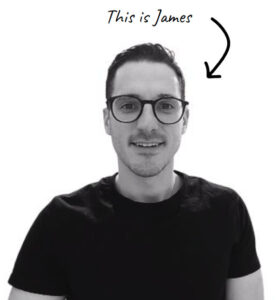
If you’d like to learn more about our WordPress & WooCommerce Support & Maintenance plans, drop us an email or give James a call.
Our plans provide a holistic solution to your website’s performance, reliability and security, and are inclusive of premium tools and services.


